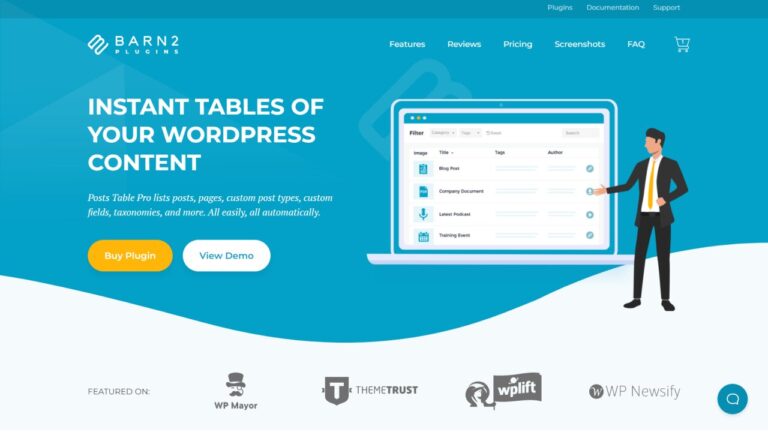
Posts Table displays content already stored in the WordPress database – it doesn’t create the content for you. If you want to display content such as custom post types, custom fields, or taxonomies, you will need to set them up beforehand and then display them using the Posts Table.
You can choose from any of the following: id, title, image, content, button, excerpt, published date, last modified date, author, tags, categories, status, custom taxonomies, and any custom field. Your columns can contain extra formatting and multimedia content such as embedded audio or video.
Back to Directory
WordPress Product
Posts Table
Alternative to: Posts Table
Posts Table is a WordPress table plugin that helps site owners organize WordPress posts into sortable and filterable tables, making it easy for your audience to find the content they need.
Total Views:
453 Times
Product Types:
Unspecified
Product Categories:
Unspecified
Dependent on:
Unspecified
Listing Type:
Standard
Pricing Model:
Unspecified
Deal Platform:
Unspecified
Deal Types:
Lifetime
Deal Status:
Current Deal
Share Your Thoughts
Have you used this add‑on or are you planning to try it? Let us know your thoughts, experiences, or questions in the comments to help others in the community.
Subscribe
Login
0 Comments
Most Voted
Other Alternative Products
Explore alternative products listed in the directory. This section simply showcases more options you can check out to see if they fit your WordPress projects.
Explore Product Directory
Recommended
Premium
Blueprints
880
Bricks Blueprints
Bricks Blueprints is a package that combines multiple premium website template kits designed specifically for Bricks Builder.
Premium
Development
1259
BricksSync
BricksSync is a no-code WordPress plugin that lets users transfer Bricks Builder templates, themes, and settings between websites.
Premium
Design
513
Collaboration
Collaboration is an Oxygen Builder add-on that enables multiple users or browser tabs to edit the same Oxygen project simultaneously.
Connect. Learn. Build Together.
Become part of the WPnomy family; a vibrant, supportive community where freelancers, designers, and agencies come together to share insights, ask questions, and celebrate wins. Here, you’ll find encouragement, real-world tips, and a network of passionate WordPress users ready to help you grow.
Join Facebook Community- Connect with passionate WordPress users who share your goals and challenges.
- Access practical tips, insider tricks, and real-world solutions tailored for all skill levels.
- Share your progress, get feedback, and celebrate your wins with a supportive network.
- Stay updated on the latest WordPress features, tutorials, and community events.
- Experience friendly mentorship and no-fluff guidance, making web building easier and more fun.