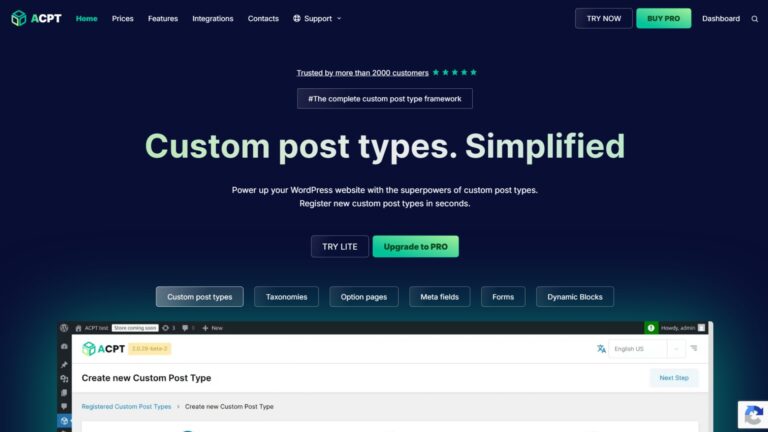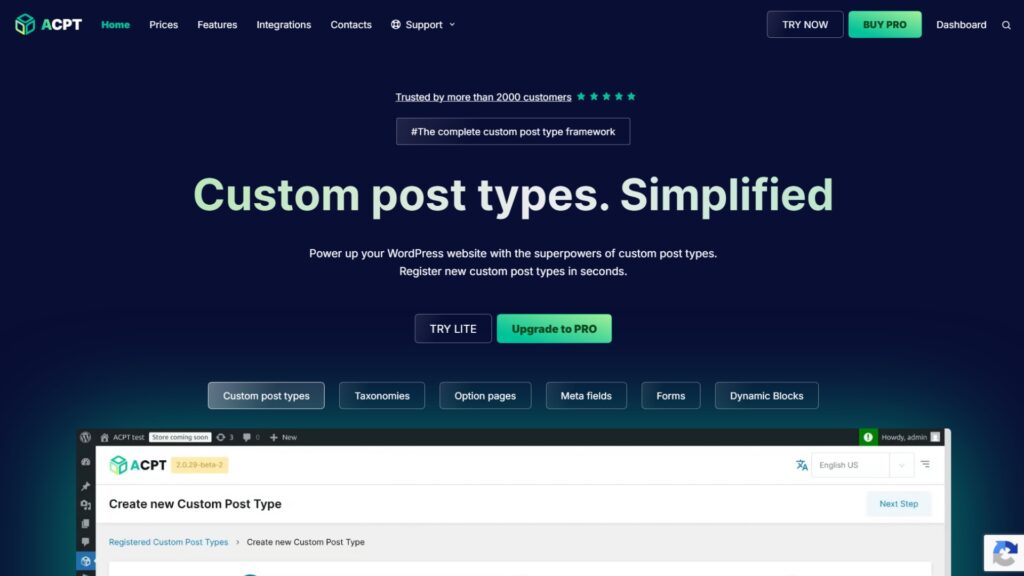

ACPT is a visual, all-in-one WordPress custom content plugin with one of the most logical setup workflows in the category. The pricing is unmatched, the onboarding is excellent, and the built-in form builder is a genuine differentiator. The main trade-offs are the single-developer team structure, no native custom database table support, and a thinner ecosystem than ACF or Meta Box.
- Overall rating: 4 / 5
- Features: 3.5
- Pricing: 5
- Performance: 4
- Support: 3.5
- Ease of use: 4
A few years ago, I would not have recommended ACPT for a client site. Not because of the features. Because of the risk.
A plugin this central to a site’s structure needs to still be there in three years. When ACPT was newer, the trust factor was not there. If the developer walked away or the product got abandoned, you would be stuck manually migrating a site that was fully dependent on it. That kind of dependency on something unproven is a real business risk for any client.
The situation has changed. ACPT has been consistently developed and improved, the community has grown, and real projects are running on it. I tested it myself: custom post types, custom fields, and a settings page. It held up well.
I would recommend it now, with conditions. Here is the honest review.
Key Highlights
- ACPT includes a 3-step onboarding wizard and registers custom post types, custom taxonomies, field groups, and settings pages from one unified interface
- Singular and plural CPT names are separate fields by default in ACPT. ACF and Meta Box default to the singular name as the slug, which requires a manual override to feel logical
- ACPT’s CPT menu position uses a before/after item selector instead of ACF’s number-based order input, which is a cleaner approach for most users
- Field grouping is the default when adding custom fields in ACPT. This encourages organized field architecture from the start, without requiring the user to think about it separately
- ACPT includes a built-in front-end form builder. Users can submit data through embedded forms that automatically populate custom field values, with no third-party plugin required
- The lifetime unlimited plan is $199 one-time with a country-based parity discount, the most affordable lifetime license in the custom content category. The pricing earns a full 5/5 on its own
- ACPT does not include native custom database table support. All custom field data is stored in WordPress’s
wp_postmetatable, which limits performance on large, data-heavy builds
What is ACPT & Who is it Built For?
ACPT (Advanced Custom Post Types) is a visual, all-in-one plugin for registering custom post types, taxonomies, field groups, and settings pages in WordPress. It is built for developers and technically experienced users who want a fast, well-organized setup workflow. Beginners who do not yet understand the purpose of custom post types may find it more than they need right now.
That said, ACPT’s interface is more approachable than ACF or Meta Box for someone with a decent grasp of WordPress. The visual workspace does more to guide you through setup than either of those tools. If you are evaluating all three, the ACF vs ACPT comparison and the Meta Box vs ACPT comparison cover the differences in detail.
What Does ACPT Do Well?
ACPT’s strongest areas are setup workflow and UX. The 3-step onboarding wizard, logical field grouping by default, smarter CPT naming defaults, and built-in front-end form builder are all practical improvements over how ACF and Meta Box handle the same tasks. The pricing is the most competitive in the category.
The Onboarding & Setup Experience
ACPT opens with a 3-step wizard that walks you through the basics. Most custom content plugins drop you straight into a blank admin screen. ACPT’s setup flow removes that cold-start friction.
The workflow logic continues once you are inside. When you open the Custom Post Type screen, the option to create field groups appears right there on the same screen. It is the obvious next step after registering a CPT, and ACPT treats it that way. You do not have to navigate to a separate menu, which is what ACF and Meta Box require.
One small detail worth noting: ACPT also shows native WordPress Post and Page types on the CPT screen alongside your custom types. Same for taxonomies: native categories and tags appear together with your custom ones. It keeps everything visible in one place instead of making you cross-reference multiple admin areas.
Custom Post Type Registration with Smarter Defaults
ACPT handles two UX details better than ACF or Meta Box by default.
The first is naming. When you register a CPT in ACF or Meta Box, the singular name doubles as the slug by default. That means if a post type has the singular name “project” and plural name “portfolio,” the slug name will be taken from the singular, which doesn’t seem logical unless you manually override it. ACPT separates post slug, singular, and plural name fields from the start, which is how it should work.
The second is menu position. ACF uses a number input to set where the CPT appears in the admin sidebar. Numbers like 5, 25, or 68 mean nothing without cross-referencing a reference table. ACPT uses a before/after selector: choose the menu item you want your CPT positioned relative to and place it before or after. It is a cleaner and more readable approach.
Built-in Front-End Form Builder
This is the feature I did not expect to be as useful as it is.
ACPT includes a form builder that lets you create forms, embed them on the front end, and attach them to specific field groups. When a visitor submits the form, the data goes directly into the custom fields with no third-party plugin, no complex setup, and no custom code.
For directory sites, listing platforms, or any project where users need to submit structured data, this is a significant reduction in build complexity. Most plugins require a separate form solution and custom integration code to achieve the same result.
Pricing That is Genuinely Difficult to Compete With
ACPT’s pricing earns a 5/5. There is no other tool in this category that matches it on lifetime value. The unlimited lifetime plan is $199 one-time with an additional country-based parity discount, which covers all sites with no renewals.
ACF does not offer a lifetime plan. Meta Box’s lifetime unlimited plan is $699 with no discount. ACPT at $199 is the most accessible entry point in the category, and for freelancers and small agencies building client sites at volume, the math is straightforward.
Where Does ACPT Fall Short?
ACPT’s main limitations are the team structure behind it, the absence of native custom database table support, and a thinner ecosystem compared to ACF or Meta Box. For simple to mid-complexity builds, these gaps rarely matter. For large or long-term production sites, they become real decision factors.
Single-Developer Team Risk
ACPT is primarily led and developed by a single founder. Please verify the current team size at acpt.io, as this may have changed since the time of publishing this review.
If the core team remains small, the structural challenge is real. A solo developer has to wear all the hats: development, support, marketing, and admin. When development gets focus, support slows. When marketing gets focus, the product development rate drops. That spreads limits how fast everything can improve at once.
The counterargument is also real. ACPT has been gaining organic traction: more community members, more tutorials, more creators talking about it. That organic growth drives sales, which creates room to expand the team. Most large products started this way. ACPT has the potential to grow into a well-resourced product, and the trajectory over the last few years supports that.
For client sites that you will maintain long-term or hand off entirely, this is a factor to weigh honestly. For builds you own and manage directly, the risk is manageable.
No Native Custom Database Table Support
Every custom field value ACPT stores goes into WordPress’s wp_postmeta table, one row per field. There is no extension or option to move data into dedicated SQL tables the way Meta Box does with MB Custom Table.
On small to mid-size sites, this is not noticeable. On sites with thousands of posts, large repeater sets, or complex data relationships, the query load compounds over time. That is the same limitation ACF carries, and the reason Meta Box has a clear performance edge on large-scale builds.
So consider that limitation before making your final decision, although I believe the developer will add this feature in the near future.
One server note that applies to any custom fields plugin: PHP’s default max_input_vars limit of 1000 can silently stop fields from saving when a large number of fields are active. This is a PHP and WordPress limitation, not specific to ACPT. Increasing it to 10000 in your server’s php.ini resolves it on any large build.
Ecosystem Depth & Community Resources
ACF has the largest ecosystem of tutorials, Stack Overflow answers, YouTube walkthroughs, and third-party plugin support. Meta Box has a growing and substantial library of community content. ACPT is noticeably behind both in available resources for new users.
This gap is narrowing as more creators start covering ACPT. But right now, when something gets complex or breaks, you have fewer places to look for answers compared to the other two tools.
How Does ACPT Compare to ACF & Meta Box?
ACPT matches ACF and Meta Box on standard custom fields and post type management. It outperforms both on pricing and visual setup speed. It falls behind Meta Box on database architecture and extension depth, and behind ACF on Gutenberg block development and community resources. The full comparisons are in the dedicated articles below.
| Factor | ACPT | ACF Pro | Meta Box |
|---|---|---|---|
| Field types | 30+ | 30+ | 40+ |
| Visual CPT/taxonomy builder | Yes (core feature) | Yes (from v6.0) | Yes (MB Builder, free) |
| Native Gutenberg block builder | No | Yes (ACF Blocks) | Yes (MB Blocks) |
| Custom database tables | No | Third-party only | Yes (native extension) |
| Settings pages | Yes | Yes (Options Pages) | Yes (native extension) |
| Front-end form builder | Yes (native) | Limited (acf_form()) | Yes (MB Frontend Submission) |
| Visual template builder | Yes (drag-and-drop) | No | Yes (MB Views, Twig) |
| Lifetime unlimited | $199 one-time | Not available | $699 one-time |
| Community and tutorials | Small but growing | Largest | Large |
(Full breakdowns: ACF vs ACPT and Meta Box vs ACPT)
What Does ACPT Cost?
ACPT starts at $29/year for one site and $99/year for unlimited sites. The lifetime unlimited plan is $199 one-time, the most affordable lifetime license in the custom content category. A free Lite version is available directly from the ACPT website for testing before committing to a paid plan.
Start with ACPT Lite if you want to explore the interface before spending anything. When you decide to upgrade, use our affiliate link for the paid plan.
| Plan | Cost | Sites |
|---|---|---|
| ACPT Lite | Free | Unlimited |
| Single site (annual) | $29/year | 1 |
| 5 sites (annual) | $49/year | 5 |
| Unlimited sites (annual) | $99/year | Unlimited |
| Lifetime 1 site | $99 one-time | 1 |
| Lifetime 5 sites | $149 one-time | 5 |
| Lifetime unlimited | $199 one-time | Unlimited |
Is ACPT Worth It?
Yes, for the right build. ACPT earns a 4/5 overall, with a perfect 5/5 on pricing. It is the best option for budget-first agencies, freelancers building mid-complexity sites, and anyone who values visual setup speed over architectural depth. For complex or large-scale sites, Meta Box is the stronger long-term choice.
| Area | Rating | Notes |
|---|---|---|
| Features | 3.5 / 5 | Covers standard use cases well. Missing custom DB tables and settings pages |
| Pricing | 5 / 5 | Most affordable lifetime plan in the category. No serious competition here |
| Performance | 4 / 5 | Solid on standard builds. Limited by postmeta storage on large data sets |
| Support | 3.5 / 5 | A small team affects response speed. Community is growing but still thin |
| Ease of use | 4 / 5 | Best onboarding flow in the category. Cleaner UX than ACF or Meta Box |
Overall: 4 / 5
The case for ACPT:
- Best pricing in the category, period
- Cleanest onboarding and setup workflow
- Built-in form builder removes a common third-party dependency
- Smarter CPT naming and menu position defaults than ACF or Meta Box
- Field grouping by default encourages good architecture from the start
The case against ACPT:
- No native custom database table support
- No settings pages for global site content
- A small team increases dependency and support delay risk
- Thinner community content when troubleshooting
- Gutenberg block development is not supported natively (yet)
FAQs About ACPT
ACPT is one of the fastest-growing custom content plugins in WordPress. The questions below address the most common concerns: team size, database performance, feature depth, and how it compares to ACF and Meta Box across different use cases.
Is ACPT safe to use on production client sites?
Yes, for standard to mid-complexity builds. ACPT has been consistently maintained and improved over several years, and real production sites are running on it. The main risk to assess is team size: ACPT is primarily led by a single founder, which means development pace and support response depend heavily on that one person. For sites you actively maintain, that risk is manageable. For sites you plan to hand off entirely with no ongoing involvement, ACF or Meta Box carries less continuity uncertainty.
Does ACPT support custom database tables like Meta Box?
No. ACPT stores all custom field data in WordPress’s default wp_postmeta table with no native option to use dedicated SQL tables. Meta Box handles this through the MB Custom Table extension, which stores field group data in dedicated rows for faster retrieval on large datasets. For small to mid-size sites, ACPT’s postmeta storage is adequate. For directories or catalogs with high post volumes and dense custom data, the lack of custom table support is a meaningful limitation.
How does ACPT compare to ACF & Meta Box for Gutenberg block development?
ACF is the stronger choice for Gutenberg block development. ACF Blocks allows PHP developers to build custom block types without React or JavaScript, and it is widely used across editorial and publishing sites. ACPT does not include a native Gutenberg block builder. If block development is central to the project, ACF Pro is the better tool. For sites that do not rely on the block editor as a primary development surface, this gap does not affect most ACPT builds.
What is the best ACPT plan to buy?
The lifetime unlimited plan at $199 one-time is the best value for any developer or agency building more than a few sites. It covers all sites with no renewals, which is the lowest total cost of ownership in the custom content plugin category. For someone testing ACPT before committing, the free Lite version is available on their website. When ready to upgrade, our affiliate link here goes directly to the paid plans.
Can ACPT handle the same use cases as Meta Box?
For most standard use cases, yes: custom post types, taxonomies, field groups, relational fields, REST API, and WP GraphQL are all covered. The gaps appear on more advanced builds. ACPT lacks custom database table support, Gutenberg block building capability, and the extension depth that Meta Box offers through its addon ecosystem. For complex sites that need all of those capabilities, Meta Box is the better choice. Read the full Meta Box review and the Meta Box vs ACPT comparison for the complete picture.
Conclusion
ACPT has earned its place in the WordPress custom content conversation. That was not true a few years ago.
The onboarding is the best in the category. The pricing is impossible to argue against. The form builder removes a real dependency that most similar tools require you to solve separately. These are genuine strengths that affect real build decisions.
The single-developer risk is real and worth knowing. The absence of custom database tables limits its ceiling on large builds. The ecosystem is still catching up to ACF and Meta Box.
The honest verdict: if the site is standard to mid-complexity, the budget matters, and you want the most organized setup experience in the category, ACPT is the right call. If the build is large, complex, or needs long-term maintenance guarantees, Meta Box is the stronger foundation. Start with ACPT Lite and see if it fits before deciding.
If you are building a WordPress site and want the custom content structure done right from the start, our WordPress support covers post type architecture, field group setup, database performance, and server configuration.
For WordPress developers and agencies in India and Kolkata: if you are weighing plugin costs against project margins, we help teams in Kolkata and across India choose and configure the right tools for each build. Get in touch with SyncWin to talk through your next project.