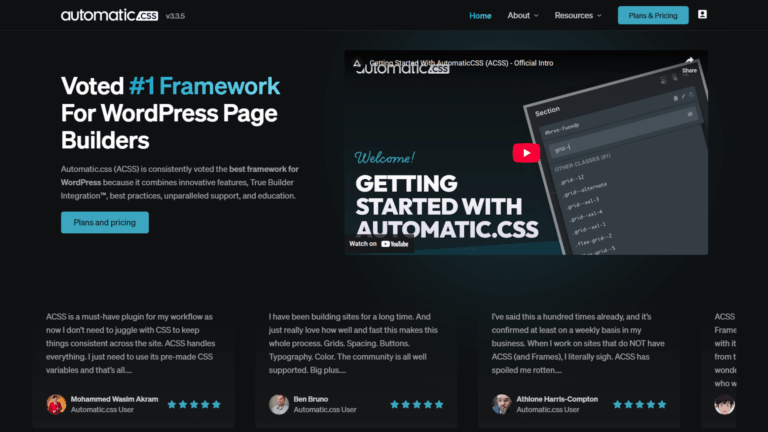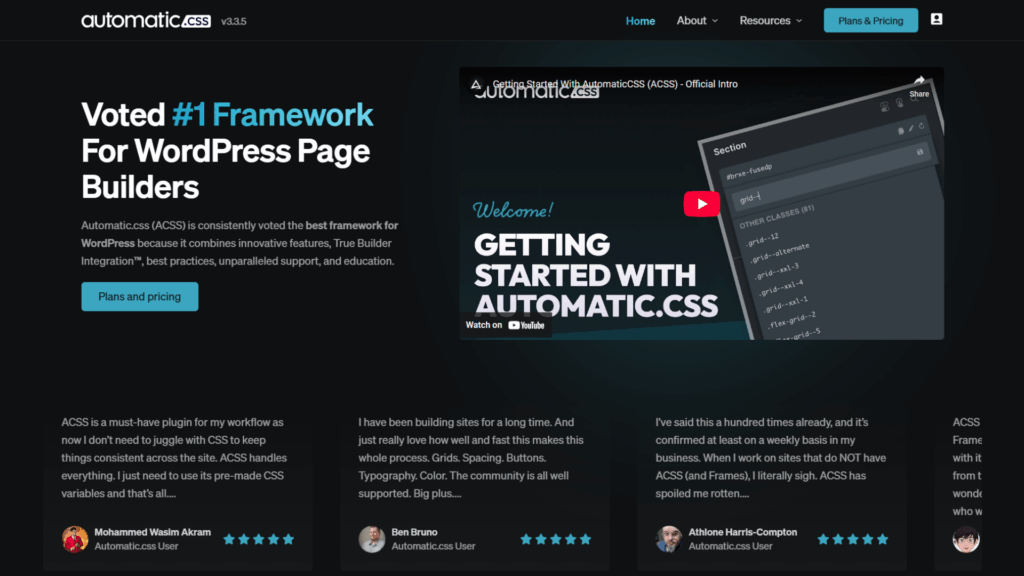

Automatic CSS is a CSS utility framework for WordPress page builders. It replaces ID-based builder styling with a class-first design system using fluid typography, contextual spacing, global CSS variables, and BEM utilities. I’ve used it on every client and personal project since its first public launch, on an unlimited lifetime plan. My overall rating is 4.5 out of 5.
Before I started using Automatic CSS, styling in Bricks Builder meant writing CSS against database-generated ID selectors. Change a color across the site? That meant editing 40 pages manually. Update a spacing value? Same problem. Every site ended up slightly inconsistent, and every QA pass found something out of alignment.
ACSS changed that at a structural level. It is not a plugin that adds convenience features. It is a design system that turns every styling decision into a global variable with a single source of truth.
I bought the unlimited lifetime plan at launch and haven’t built a single project without it since. This review is based on that real, ongoing use across client builds and personal projects.
Key Highlights
- Used on an unlimited lifetime plan since the first public launch, across 3+ years of production use on all client and personal builds.
- ACSS pricing ranges from $79/year for freelancers to a one-time $399 lifetime payment covering unlimited sites.
- As of 2025, ACSS natively supports Bricks Builder and EtchWP only; support for Oxygen, Breakdance, and GenerateBlocks has been discontinued.
- WordPress powers over 43% of all websites globally, making a standardized CSS framework increasingly relevant for professional-level development.
- ACSS generates fluid typography using CSS clamp() and calc(), scaling text and spacing continuously across viewport widths without manual breakpoints.
- ACSS’s BEM utilities, class rename tools, and Auto Grids create workflow dependencies that become part of how you work daily. Leaving the framework means relearning how to live without them.
- Core Framework is the primary free alternative, offering greater architectural flexibility at the cost of less out-of-the-box completeness.
What is Automatic CSS & How Does It Work?
Automatic CSS is a CSS framework for WordPress page builders that replaces ID-based element styling with a global token system. It manages typography, color, and spacing through a centralized real-time dashboard. One change in the dashboard updates the entire site instantly. True Builder Integration connects it directly to supported page builders, resolving builder-specific rendering issues automatically.
Most page builders attach styles to individual database-generated IDs. When you need to change something, you change it everywhere it appears across every page. ACSS breaks that pattern by making every design decision a global variable instead.
The practical result is a site where one dashboard update replaces 40 manual page edits. That’s not a minor convenience. It changes the economics of site maintenance entirely.
Who is ACSS Built For?
Automatic CSS is built for advanced WordPress developers and agencies using Bricks Builder or EtchWP who want a complete, pre-configured design system without building one from scratch. It suits freelancers managing multiple client builds where global consistency matters. Beginners and users of other page builders will find limited value, given the learning curve and reduced compatibility.
My workflow is built around BEM methodology with CSS variables. ACSS makes that workflow fast and consistent. Every project follows the same conventions, which means every project is easier to hand off, maintain, or revisit six months later.
What are ACSS’s Standout Features?
ACSS includes fluid typography, contextual spacing, a full color management system, Auto Grids, BEM utilities, single-class form styling, overflow detection, and AI coding tool integration. These features work as a cohesive system rather than separate utilities bolted together. That coherence is what separates ACSS from a generic CSS helper library.
How Does ACSS Handle Typography & Spacing?
ACSS scales font sizes continuously across viewport widths using CSS clamp() and calc(). You set a base font size, a scaling multiplier, and your minimum and maximum viewport bounds in the dashboard. The framework calculates every heading and body text size automatically from those inputs, with no manual breakpoint declarations needed.
Contextual spacing works on the same fluid principle. Spacing tokens are assigned to structural zones: sections, containers, grids, and content areas. When you update a token, every element in that zone updates across the entire site instantly.
Before ACSS, spacing inconsistency was one of the most common QA issues I dealt with on client builds. It rarely comes up now.
What Do Auto Grids Handle?
Auto Grids create responsive column layouts from a single utility class. Apply the class to a container, define a minimum item width, and the grid adjusts its column count automatically as the viewport changes. No media queries. No manual breakpoint logic.
The Force Even Columns toggle prevents single orphaned columns when multi-column grids wrap on smaller viewports. It’s the kind of small, precise detail that shows the framework was built by someone who actually ships production sites.
How Does Single-Class Form Styling Work?
ACSS maps native form elements from WS Forms, Fluent Forms, and Bricks Forms to the central design system using a single helper class. Apply the class to the form and control colors, spacing, fonts, and border radius from the dashboard, all at once, without writing custom CSS per form.
I use FluentForms on every project. The ACSS integration works well and saves a significant amount of time compared to writing custom CSS from scratch for each form. It sounds like a minor feature until you realize how much form styling actually takes on a full client build.
What BEM Utilities Does ACSS Provide?
The Auto-BEM system adds, renames, replaces, or deletes BEM classes across elements from a single unified panel. My entire workflow is built around BEM conventions with CSS variables. ACSS makes managing that workflow fast and consistent across every project, which means cleaner handoffs and faster ongoing maintenance.
To be honest, the BEM tools are the feature I miss most when I work outside ACSS. Class operations that used to take several minutes now take seconds. Once that speed is part of your daily rhythm, working without it feels genuinely slow.
How Does ACSS Integrate with AI Coding Tools?
ACSS has an unofficial LLM configuration file (automatic-css-llm.txt) that loads into Cursor, Cline, or Claude Projects. This gives your AI assistant complete context on ACSS naming conventions, utility classes, and CSS variables before it writes a single line of code. The output is clean, spec-compliant ACSS instead of generic CSS that creates specificity conflicts.
I use Claude Projects daily for content work. The same principle applies to coding: an AI that knows your framework’s conventions is a completely different tool than one guessing from scratch.
How Much Does ACSS Cost?
ACSS pricing runs from $79/year for a single-site Freelancer plan to a one-time $399 Lifetime plan covering unlimited sites. The Agency plan at $99/year covers 15 sites. For anyone managing an active client roster, the Lifetime plan pays for itself within the first year of regular use.
| Plan | Sites covered | Price |
|---|---|---|
| Freelancer | 1 site | $79/year |
| Agency | 15 sites | $99/year |
| Unlimited | Unlimited sites | $149/year |
| Lifetime | Unlimited sites | $399 one-time |
Pricing verified at time of writing. Confirm current figures at Automatic CSS before purchasing.
How Does ACSS Compare to The Core Framework?
ACSS and Core Framework are the two most discussed CSS frameworks in the Bricks Builder community. Both replace ID-based styling with token-driven systems. The difference is philosophy: ACSS is opinionated and ships with a complete system, while Core Framework is minimal and lets you build your own.
ACSS gives you predefined conventions and a pre-configured library. You configure the dashboard and start building. Core Framework provides a structural baseline and then steps back entirely. Every naming decision, utility addition, and architectural choice becomes yours to make.
ACSS removes decision overhead. Core Framework hands decision power back to the developer. Which one suits you depends entirely on whether that overhead feels like a burden or a feature.
I’ve tested both Core Framework and Fancy Framework. My honest take: ACSS is faster to get productive with for most developers. Core Framework is the better choice if you want to define your own design system from first principles and have the time to invest in building it properly.
The one area where Core Framework genuinely wins is flexibility. ACSS does not let you rename core tokens or restructure the spacing architecture. You work within what the framework provides. For some developers, that constraint is freeing. For others, it’s a ceiling they’ll eventually hit.
| Criteria | ACSS | Core Framework |
|---|---|---|
| Philosophy | Opinionated, pre-configured | Flexible, build-your-own |
| Setup time | Under 30 minutes for experienced users | Longer; depends on customization scope |
| Out-of-the-box completeness | Comprehensive | Minimal baseline |
| Flexibility | Fixed naming conventions | Fully customizable |
| Price | $79/year to $399 LTD | Free core; paid add-ons |
| Builder support | Bricks Builder, EtchWP | Broader compatibility |
| Best fit | Agencies want speed and design consistency | Advanced devs wanting full architectural control |
What are ACSS’s Real Limitations?
The biggest limitation is dependency. ACSS’s workflow tools, including BEM management, class rename, Auto Gap, and Auto Grids, become habits. Working without them feels slower once they’re part of your daily process. That is not a problem while you’re on ACSS. It becomes one if you ever need to leave.
The framework is also more opinionated than some developers will want. You work within ACSS’s naming conventions and structural decisions. There is no path to renaming core tokens or restructuring the design system architecture the way the Core Framework allows.
The most significant concern right now is long-term integration stability. ACSS has already removed support for Oxygen, Breakdance, and GenerateBlocks as the team’s focus has shifted toward EtchWP, their in-house builder. Nothing has been announced about Bricks’ support specifically. But the pattern is visible enough to pay attention to.
I’m gradually building familiarity with builder-native variables alongside ACSS as a hedge. Not because the framework is failing, but because building an entire production workflow on a tool with a shifting integration roadmap is a risk worth managing.
Who Should NOT Use ACSS?
Beginners should not start with ACSS. Managing a CSS framework, utility class conventions, and BEM methodology requires solid CSS fundamentals to get any benefit from them.
Developers on Oxygen, Breakdance, or other builders outside Bricks and EtchWP will find that ACSS no longer supports their environment. Those wanting full design system control will find its opinionated conventions limiting.
If you’re newer to WordPress development, Elementor or Breakdance are better starting points. Add a CSS framework layer once your CSS fundamentals are solid.
Developers who want to define their own token names, build their own utility library, and make every architectural decision themselves will be better served by Core Framework or Fancy Framework. Both offer more control over what the design system looks like at the foundation.
What Is the Final ACSS Verdict & Rating?
Automatic CSS earns 4.5 out of 5. The design system is mature, the workflow gains are real, and the Lifetime plan pricing is strong for anyone building multiple Bricks Builder sites per year. It’s the best CSS framework I’ve used in the WordPress page builder ecosystem, with clear trade-offs that are worth knowing before you buy.
The dependency it creates is a genuine trade-off, not just a minor caveat. The uncertainty around long-term Bricks Builder support is worth factoring into the decision. Neither of those changes my recommendation for current Bricks users, but both are worth knowing.
If you’re on Bricks Builder and not using a CSS framework, you’re making your work harder than it needs to be. That is my honest position after years of daily use.
| Criteria | Score | Notes |
|---|---|---|
| Design system quality | 5/5 | Fluid typography, contextual spacing, and color management are best-in-class |
| Workflow speed | 5/5 | Night-and-day difference versus unsystematic ID-based builder styling |
| Builder compatibility | 3/5 | Bricks and EtchWP only; dropped Oxygen, Breakdance, and GenerateBlocks |
| Ease of setup | 4/5 | Fast for experienced users; steep learning curve for beginners |
| Flexibility and control | 3/5 | Opinionated conventions; limited architectural customization |
| Value for money | 5/5 | The lifetime plan at $399 is exceptional for the feature depth offered |
| Overall rating | 4.5/5 | Best CSS framework for Bricks Builder users; buy with clear expectations |
FAQs About Automatic CSS
Does Automatic CSS work with Elementor or Oxygen?
No. ACSS has discontinued support for Elementor, Oxygen, Breakdance, and GenerateBlocks. Current native integrations are limited to Bricks Builder and EtchWP. If you’re building on any other page builder, ACSS is not a practical choice. You’d be paying for a framework that can’t connect to your builder properly, which means losing most of the workflow advantages ACSS is designed to deliver.
Is ACSS suitable for WordPress beginners?
Automatic CSS is not recommended for beginners. The framework requires a working understanding of CSS fundamentals, utility-class methodology, and ideally BEM naming conventions. Beginners will find the setup and conventions overwhelming without that foundation. Starting with Elementor or Breakdance is the better path in my opinion.
What is the difference between ACSS & Core Framework?
ACSS is opinionated and ships with a complete, pre-configured design system. Core Framework is minimal and flexible: it provides a base token structure and leaves every architectural decision to the developer. ACSS is faster to get productive with. Core Framework gives more control to developers who want to define every naming convention and utility themselves. Both are legitimate choices depending on your priorities.
Is ACSS worth buying if I use Bricks Builder professionally?
Yes, for most Bricks Builder developers, managing multiple client builds. The fluid typography system, contextual spacing, BEM utilities, and Auto Grids justify the cost once you see them working in a real production workflow. The Lifetime plan at $399 is the strongest value for anyone building more than a few sites per year. Get the Lifetime plan if you’re building long-term on Bricks.
Is there a risk that ACSS will drop Bricks Builder support in the future?
There is no official announcement about this, but the concern is worth taking seriously. ACSS has already removed support for Oxygen, Breakdance, and GenerateBlocks as the team focuses on EtchWP. Nothing has been stated publicly about Bricks. Existing sites would still have their utility classes and variables, but you would lose True Builder Integration features and future updates. This is why building some familiarity with builder-native variables alongside ACSS is a reasonable hedge.
Conclusion
Automatic CSS is the best CSS framework I’ve used in the WordPress page builder space. The design system is mature, the workflow gains are measurable, and the pricing is fair for what it delivers. It changed how I build at a fundamental level, and I have not found anything that replaces it for Bricks Builder work.
The dependency and the EtchWP trajectory are real considerations. Neither is a reason to avoid ACSS today. Both are reasons to stay informed and build some flexibility into your workflow so you’re not caught off guard if the integration picture changes.
If you want a WordPress site built on a proper CSS framework foundation using Bricks Builder, our dedicated WordPress support handles everything from initial architecture to ongoing maintenance. Reach out and let’s build it right.
For WordPress developers and business owners in Kolkata and across India, we specialize in production-grade Bricks Builder development with ACSS as the core framework. If you have a project in the pipeline, get in touch, and we’ll discuss the right approach together.