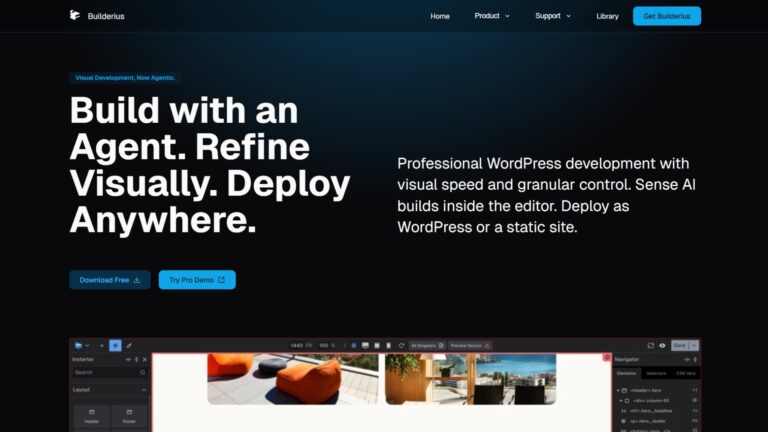

Builderius is a React-based visual development environment for WordPress that outputs hand-coded-quality HTML with zero jQuery, a native GraphQL IDE, built-in version control, and a Static Site Generation engine for Cloudflare Pages and GitHub Pages deployment. The Professional tier is open at $219 lifetime through June 21 (TODAY), 2026, its last beta pricing window before the door shuts until stable release. The free Community version remains available on WordPress.org with significant feature restrictions.
I have been watching Builderius longer than most people in the Bricks community. Back when it was barely known, I tracked it as a promising concept, watched the team struggle with the original build, and then saw them decide to rewrite the entire builder from scratch. That rewrite took longer than anyone expected. It is also why the product is genuinely unlike anything else in the WordPress ecosystem today.
I tested the sandbox demo recently: built a page from scratch and worked through the elements panel, structure panel, styles, selectors, and variable manager. What I found was a builder that operates closer to a visual IDE than a drag-and-drop tool. For the right audience, it is the most technically ambitious thing happening in WordPress development right now.
Builderius is not production-ready in 2026, and I will be honest about why. But before writing it off as “just another beta,” understand what this tool is actually building toward. Features like the SSG engine, Sense AI via Claude MCP, and native GraphQL queries are not currently offered by any other WordPress page builder.
For how Builderius compares to the builders I use daily, the Bricks Builder review and the Breakdance review cover the current production alternatives. I also reviewed Elementor if you are evaluating the full spectrum.
Key Highlights
- Builderius produces approximately 28 DOM elements on a typical build, compared to Bricks Builder’s 75 to 100 and Elementor’s 300 to 400, making it the leanest output of any WordPress visual builder.
- The native Static Site Generation engine (version 1.3.4-beta, released May 8, 2026) compiles WordPress sites into static files and deploys directly to Cloudflare Pages or GitHub Pages without touching code.
- Sense AI connects to Anthropic’s Claude models via Model Context Protocol, and it changes who can realistically use Builderius: instead of hand-coding HTML and GraphQL, you describe what you want, and the AI builds it.
- Only 40.2% of WordPress websites globally pass all Core Web Vitals on mobile; Builderius produces 95+ PageSpeed scores out of the box, the cleanest performance baseline of any major WordPress builder.
- Beta pricing closes for good on June 21, 2026: the Professional tier is open one last time at $219 lifetime before the door shuts until stable release and new pricing.
- Critical production features, including WooCommerce, native facets, slider, gallery, History/Undo, and Gutenberg compatibility, are still in progress.
- The free Community version is available on WordPress.org but lacks custom HTML tags, advanced dynamic queries, custom JS/CSS editors, and reusable custom components.
- Remote Sync pushes a project from a local or staging install straight to a live WordPress site in one click, extending the release system across separate installs instead of one site.
What is Builderius & Who is it Built For?
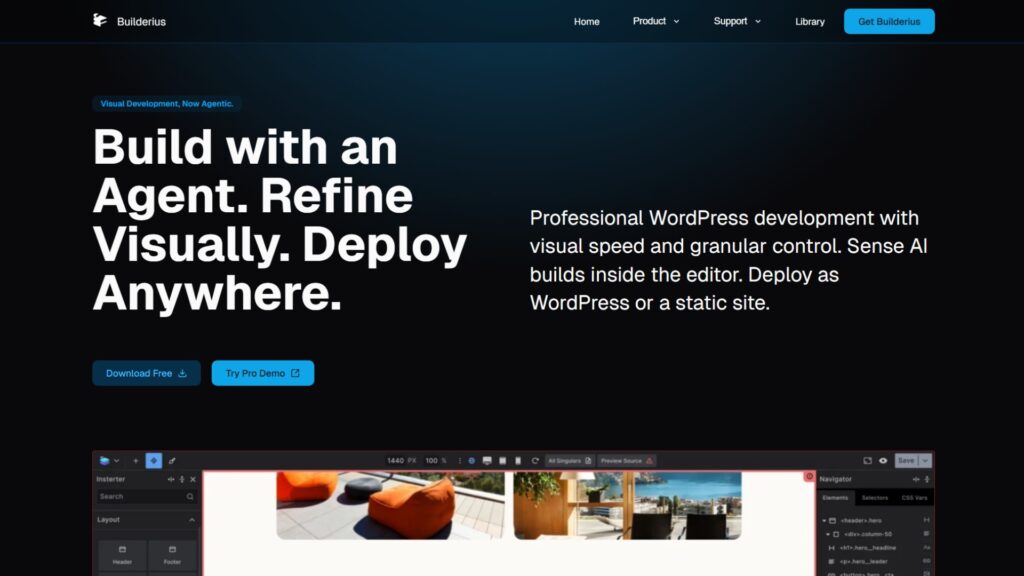
Builderius is a React-based visual WordPress builder developed by a three-person team: Elvis Krstulović, Vitalii Kiiko, and Volodymyr Denchyk. It selectively hijacks the WordPress render loop to strip default scripts and output clean, semantic HTML5 directly, producing pages with 28 DOM elements and 95+ PageSpeed scores out of the box. Unlike standard builders, it operates as a visual IDE: full control over HTML tags, attributes, and class systems from a design canvas.
How Builderius Differs from Every Other WordPress Builder
Builderius hijacks the WordPress render loop to strip default scripts, Gutenberg block CSS, and native HTML markup, replacing them with clean output through agnostic HTML containers that map to any HTML tag or custom attribute. The result matches hand-coded application quality: zero jQuery, no nested div bloat, and 95+ PageSpeed scores without configuration. The SSG engine removes database dependencies from the public-facing site entirely.
Every other major WordPress builder, including Bricks and Breakdance, is a design tool that outputs code. Builderius is a code environment with a visual interface. You control every HTML tag, every class, and every attribute on the page. No other visual WordPress builder operates at this level of markup control.
Current pricing (last sale window closes June 21, 2026):
| Plan | Price | Sites | Key features |
|---|---|---|---|
| Community | Free (forever) | Unlimited | 80 core elements, basic forms, and popups; excludes custom HTML tags, advanced queries, JS/CSS editors |
| Professional | $219 one-time (LTD) | Unlimited | Full GraphQL IDE, SSG engine, version control, Remote Sync, custom JS/CSS, Sense AI, reusable components |
The earlier $179 lifetime window closed on March 15, 2026. Builderius reopened sales at $219 lifetime for one final beta pricing window, and that window closes for good on June 21, 2026 (on the same day I am updating this article). After that, the door shuts until stable release, when pricing goes up. The 30-day money-back guarantee still applies.
Who is Builderius Actually for in 2026?
Builderius has two real answers depending on how you use it. Without the Sense AI, it is built for experienced front-end developers and technical agencies fluent in HTML, CSS selectors, and GraphQL. With Sense AI active, the skill floor drops significantly: you describe what you want, and the AI handles the technical output, opening the tool to far less experienced users.
Pre-Sense, the builder demanded real fluency in HTML, CSS, and GraphQL before you could build anything usable. With Sense running, you describe intent in plain language, and the AI emits the markup, the GraphQL query, and the class structure.
That does not erase the learning curve. It moves it. A marketer, a junior developer, or a solo founder with some technical comfort can now get results that used to require a senior front-end developer, the same shift Lovable and Bolt brought to no-code app building, except inside WordPress.
One reviewer described Builderius as a “coders-only clubhouse.” That framing is still fair if you are building without Sense AI turned on.
The manual interface expects you to already know what you are building structurally. Someone who learned web design through Elementor will struggle here significantly. Someone coming from Oxygen or Bricks with a class-first workflow will find the transition steep but conceptually familiar.
What Does Builderius Do Well?
Builderius‘s standout capabilities in 2026 are its Sense AI assistant via Claude MCP, the native Static Site Generation engine for Cloudflare and GitHub Pages, a built-in GraphQL IDE for precise dynamic data queries, and a Git-like versioning system that keeps all canvas edits invisible to live visitors until explicitly released. No other WordPress builder combines these four capabilities.
Sense AI & The Claude MCP Integration
Sense AI is a context-aware AI assistant built directly into Builderius that connects to Anthropic’s Claude models via Model Context Protocol. It understands the active canvas state, element hierarchies, and CSS framework, enabling layout generation, dynamic attribute mapping, and sitewide style changes from natural language prompts. This is the most advanced AI integration available in any WordPress builder today.
I use Claude daily. When I evaluated the Sense AI integration, the practical significance was clear immediately.
WordPress has needed a real answer to tools like Lovable and Bolt for a long time: platforms where you prompt a site into existence. Builderius attempts that inside a native WordPress environment, which means the output stays in your existing content system with your existing plugins. That is a more practical solution than migrating to a separate no-code platform, and Builderius is one of the the first WordPress builder to take it seriously using Claude MCP.
For other WP builders, there is a third-party solution called UIBrainX, which offers something similar to Sense AI and integrates with Elementor, Gutenberg, Bricks Builder, Breakdance, Figma, and Divi 5.
Sense AI supports the following developer workflows:
- URL page cloning. Provide a source URL and Sense AI reconstructs the page layout in the visual editor with semantic HTML tags, proper element nesting, and clean class configurations, importing source assets automatically.
- Dynamic attribute mapping. The assistant builds GraphQL queries and maps post attributes (title, excerpt, featured image) directly to agnostic HTML containers without manual configuration.
- Precision sitewide style edits. Describe layout changes in natural language (“change desktop columns from four to three”), and Sense AI executes sitewide updates, generates design tokens, and configures Flexbox properties.
- Multi-agent access. Pro 1.3-beta supports Claude Code, Gemini CLI, and Codex CLI via automated installer, allowing developers to switch between AI models within the same build session.
Here is what matters beyond convenience: Sense AI changes who can use Builderius at all. The builder’s entire premise, before this, assumed you already think in HTML and CSS. Sense AI does not remove that requirement, but it lowers it enough to matter: someone with a partial grasp of web structure can describe a layout and get a working result instead of hand-building it block by block.
One practical note: Builderius does not provide built-in AI processing servers. You connect your own API keys or developer subscription to activate Sense AI features.
Static Site Generation for WordPress
Builderius 1.3.4-beta introduced a native Static Site Generation engine that compiles the entire WordPress site into optimized static HTML, CSS, and JavaScript files. The output deploys to Cloudflare Pages, GitHub Pages, or legacy shared hosting without touching code. This removes runtime database dependencies from the public-facing environment entirely.
For WordPress users who want static site performance without leaving WordPress for a separate SSG tool, this is a genuinely useful addition. You retain the WordPress backend for content management while serving a fully static front end to all visitors. No other WordPress visual builder offers this natively in 2026.
The deployment pipeline covers three options:
- Cloudflare Pages. Connects via a single API token and deploys to a custom domain or a pages.dev subdomain. Delivers global edge caching and resistance to DDoS attacks at zero additional cost.
- GitHub Pages. Synchronizes with a designated GitHub repository via personal access token. Automates version archiving and supports continuous integration pipelines.
- XIP Package. Compiles into flat files for direct upload to legacy shared hosting environments that accept standard file transfers.
Remote Sync to Move Projects from Local to Live
Remote Sync, released in June 2026, pushes a Builderius project from a local or staging WordPress install straight to a live remote install in one click. It extends the existing release system across separate WordPress installs instead of limiting it to one site, closing the gap between building locally with Sense AI and shipping to production.
This solves a real workflow gap. Sense AI works best locally, where it has full access to your custom post types, ACF fields, taxonomies, and content, and until now, getting that work onto a live site meant a manual export and import step.
Setting it up is straightforward. Install Builderius and any dependencies, like ACF, on the destination site, then enable remote control in Builderius settings there. Paste in an application password generated on the source site, and the connection is live. For agencies running multiple client builds or maintaining a component library across sites, this is the one-click version of what export and import already got you, minus the manual round trip.
GraphQL IDE, Versioning, & CSS Framework Builder
Builderius includes a dedicated GraphQL IDE with autocomplete and pre-made query snippets in the Professional tier. Developers query exactly the fields needed from ACF or Meta Box without loading full WordPress post objects into memory. The built-in versioning system saves all canvas edits as named JSON release packages with one-click rollback to any previous design state.
The CSS framework builder and CSS Code Mode are the features that feel most like a developer’s dream in practice. You can construct a full CSS design system inside the visual editor, manage custom properties natively, and drop into raw CSS code mode without leaving the build environment. Every Builderius page stays editable inside a private development workspace, invisible to site visitors until a named release is pushed live. No staging server required.
Where Does Builderius Fall Short?
Builderius carries significant production readiness gaps in 2026. Critical features, including WooCommerce integration, native facets, modal builder, slider, gallery, dynamic table, History/Undo, and Gutenberg block support, are either missing or still in active development. The UX also needs meaningful work: the structure panel lacks standard delete and clone controls, and overall navigation feels more like developer tooling than a polished design environment.
Features Still Missing or in Progress
Several features that developers expect as standard are absent from the current Builderius beta. These are not cosmetic gaps. Several are load-bearing for real client projects and determine whether the tool is usable for production work today.
| Feature | Status | Notes |
|---|---|---|
| Custom HTML tags and attributes | Pro only | Not available in Community version |
| GraphQL IDE with autocomplete | Pro only | Includes pre-built query snippets |
| Version control / Releases | Pro only | Named JSON packages, one-click rollback |
| SSG (Cloudflare, GitHub Pages, XIP) | Beta (1.3.4) | May 2026 release |
| Sense AI (Claude MCP) | Pro + API key | Multi-agent: Claude Code, Gemini, Codex |
| CSS framework builder | Pro only | CSS Code Mode included |
| WooCommerce integration | In progress | Not production-tested |
| Native faceted filtering | In progress | No timeline confirmed |
| Modal builder | In progress | No timeline confirmed |
| Slider component | In progress | No timeline confirmed |
| Gallery component | In progress | No timeline confirmed |
| Dynamic table element | In progress | No timeline confirmed |
| History / Undo | In progress | Missing from all current builds |
| Gutenberg block compatibility | In progress | No timeline confirmed |
The WooCommerce gap is the most significant for agency work. Unlike Breakdance, which includes native WooCommerce cart, checkout, and product builders out of the box, Builderius requires manual GraphQL loop mapping with no tested infrastructure behind it. For e-commerce projects, this is a firm blocker.
UX Friction That Needs Resolving
The Builderius interface reveals its IDE origins in ways that hurt day-to-day usability. Structure panel items lack standard delete and clone controls, which experienced builders expect as default. Right-panel shortcut logic for controlling left-panel elements (collection, sub-collection, link) does not follow an intuitive pattern. The font choice and overall visual design feel like developer tooling rather than a finished design environment.
None of this is surprising for a beta product. The architecture underneath is exceptional. The UX layer being unpolished at this stage is an expected development phase, not a reason to dismiss the tool permanently.
If the team wants a reference point, Oxygen 6 is worth studying closely. The Oxygen 6 editor is a real improvement over Oxygen Classic in both visual logic and responsiveness: the design feels coherent and intentional, and controls sit where you expect them. That jump was big enough on its own that it made me want to start using Oxygen again alongside Bricks, and Builderius’s structure panel and shortcut logic would benefit from the same kind of pass.
My honest read from the sandbox session: if the team fixes these UX issues before or at stable release, Builderius has a genuine case to outperform every current builder for developer-focused work. The raw capability is there. The experience of accessing it is not ready yet.
How Does Builderius Compare to Alternatives?
Builderius produces the most technically pure output of any WordPress builder in 2026: 28 DOM elements, zero jQuery, 95+ PageSpeed. Against Bricks Builder and Breakdance, it wins on code purity and developer control but loses on production readiness, feature completeness, WooCommerce support, and day-to-day UX stability. Against Elementor, the performance gap is not competitive: it is a different category.
For the Bricks versus Elementor comparison, the Elementor vs Bricks Builder breakdown covers the specifics. For Oxygen 6’s position now that it shares a more visual editor direction, the Oxygen Builder review gives the current picture.
Technical benchmarks:
| Metric | Builderius | Bricks | Breakdance | Elementor |
|---|---|---|---|---|
| Development foundation | React visual IDE | Vue.js theme | Modern plugin | Legacy jQuery plugin |
| Typical DOM output | ~28 elements | ~75–100 elements | ~150–200 elements | 1,500+ elements |
| PageSpeed (out of box) | 95+ | 85–95 | 85–95 | 70–85 |
| jQuery dependency | None | None | Minimal | Heavy |
| Theme system | Selective render hijack | Replaces theme | Works with themes | Works with themes |
| WooCommerce | In progress (unready) | Full custom layouts | Native out of the box | Pro templates |
| Sense AI / AI tools | Claude MCP (advanced) | Third-party only | Separate add-on | Angie (Pro) |
| Production ready | No (beta) | Yes | Yes | Yes |
LiveCanvas is worth noting for HTML-native minimalists who want clean output in a more finished product form. Oxygen Builder (now Oxygen 6) is the most relevant philosophical predecessor: a code-centric visual environment with complete developer control, now with a more accessible editor surface.
Is Builderius Worth It in 2026?
Builderius is not ready for production client work in 2026, but it is buyable right now. The Professional tier is open at $219 lifetime through June 21, 2026, its last beta pricing window before sales pause until stable release. Test the sandbox first, then decide if the gaps are ones you can live with. However the architecture, Sense AI, GraphQL IDE, Remote Sync, and SSG engine represent a genuine technical leap that no other WordPress builder has matched yet.
The sustainability concern around a three-person team deserves honest acknowledgment. I have been watching Elvis Krstulović, Vitalii Kiiko, and Volodymyr Denchyk build this product for years. They chose to rewrite the entire builder from scratch rather than patch an outdated foundation. That decision cost them time and users. It also produced the most technically advanced WordPress builder available. They are among the most talented people I have seen building in this space, and I do not think team size here reflects team capability.
What Is Builderius Actually Building Toward?
Builderius’s vision page frames WordPress development as artificially split between hand-coders who value clean markup and visual-builder users who accept bloated output. The team’s stated goal is closing that gap: visual efficiency with hand-coded discipline, built-in staging and version control as standard, and accessibility treated as core rather than optional.
I read through their vision page in full. It is one of the more honest position statements I have seen from a WordPress builder, and it treats staging, version control, and accessibility as the actual product, not features stacked on top of a page builder.
If they execute on that vision fast and reach a stable release before competitors close the gap, I think Builderius has a real shot at changing how WordPress development gets taught, because it sells professional discipline as standard rather than convenience as the whole pitch.
Pros:
- Most technically pure WordPress builder output: ~28 DOM elements, 95+ PageSpeed, zero jQuery
- Native SSG engine deploys static sites to Cloudflare Pages and GitHub Pages without code
- GraphQL IDE with autocomplete for precise, load-efficient dynamic data queries
- Sense AI via Claude MCP: the most advanced AI integration in any WordPress builder available
- Built-in versioning with named releases and one-click rollback, no staging server needed
- Complete HTML tag and attribute control: no other visual builder matches this at the markup level
Cons:
- Beta pricing closes for good on June 21, 2026; after that, no purchase option exists until the stable release
- Missing critical features: WooCommerce, facets, slider, gallery, modal, History/Undo, Gutenberg
- UX needs significant work: no delete/clone in the structure panel, confusing shortcut logic
- Not usable without strong HTML, CSS, and ideally GraphQL knowledge
- Community adoption is very small; tutorials and third-party resources are limited
My rating: 4.0 / 5. The most technically ambitious WordPress builder in 2026. Not ready for production work in its current state, but if the team resolves UX friction and completes the missing feature set at stable release, it has a genuine case to outperform every current alternative for developer-focused builds.
FAQs About Builderius
These are the most common questions about Builderius in 2026, answered from hands-on sandbox testing, research into the 1.3.4-beta release, and comparison against current production builders, including Bricks, Breakdance, and Elementor. All answers reflect the current beta state, not planned future features.
Can I buy Builderius in 2026?
Yes, but only through June 21, 2026. The Professional tier is open right now at $219 lifetime, the last beta pricing window before sales pause completely until a stable release with new pricing arrives.
The earlier $179 lifetime window closed in March 2026 and reopened at the higher $219 rate for this final stretch. Once June 21 passes, the door shuts: no Pro purchases until the team ships a stable release.
The free Community version stays downloadable from WordPress.org regardless, and the official sandbox demo at builderius.io still lets you test Pro features without buying.
How does Builderius compare to Bricks Builder?
Both produce clean output and eliminate jQuery. The differences are architectural. Bricks is a Vue-powered theme with a class-first visual workflow that is production-ready across all site types today.
Builderius is a React-based visual IDE that hijacks the render loop entirely and adds GraphQL, SSG, and AI generation capabilities that Bricks does not offer. Bricks is the right choice for any project starting now.
Builderius is the builder worth tracking seriously for future developer-focused work.
What is Sense AI, and how does it work inside Builderius?
Sense AI is a context-aware AI assistant built into Builderius that connects to Anthropic’s Claude models via Model Context Protocol. It understands the active canvas, CSS framework, and element hierarchy during a live build session.
Capabilities include URL page cloning, dynamic GraphQL attribute mapping, sitewide style edits from natural language, and multi-agent access to Claude Code, Gemini CLI, and Codex CLI.
You supply your own Claude API key to activate the features, as Builderius does not provide built-in AI servers.
Is Builderius suitable for beginners or business owners?
No. Builderius is not suitable for anyone without a solid HTML, CSS, and ideally JavaScript background.
The interface operates as a visual IDE: there are no pre-built composite elements, no template library in the Community version, and no guardrails against breaking semantic structure.
For beginners or business owners managing their own sites, Elementor or Breakdance remains the accessible entry point. For developers comfortable with class-first workflows, Bricks is the production-ready path.
Sense AI narrows that gap without closing it completely. It still expects you to know roughly what you want structurally, even if it writes the HTML and CSS for you. Someone with zero web background will still struggle more than someone with even basic site-building experience.
When will Builderius be ready for production client work?
The team has not announced a stable release date. Based on the current feature gap (WooCommerce, History/Undo, slider, gallery, modal, facets, and Gutenberg compatibility are all still in progress), production readiness for complex client projects is not imminent.
For active projects now, use Bricks or Breakdance. Revisit Builderius at its stable release, test the feature set at that point, and evaluate for the project types where its SSG engine and GraphQL capabilities offer a clear advantage.
How does Builderius Remote Sync work?
Remote Sync requires Builderius (and any dependencies like ACF) installed on both the source and destination WordPress sites.
On the destination, you enable remote control in Builderius settings and paste in an application password generated on the source site. Once connected, you push releases from local or staging straight to the live install.
Conclusion
Builderius is the most technically ambitious WordPress builder I have seen, and I have been tracking it since before most of the Bricks community knew it existed. The architecture is exceptional. The Sense AI integration using Claude MCP is the most meaningful AI addition in the WordPress builder space. The SSG engine for Cloudflare Pages deployment is something no other builder offers natively.
The part of this review I keep coming back to is what Sense AI does to the audience’s question. A builder that once demanded senior front-end fluency now lets someone with a fraction of that knowledge describe a page and get a working result. If that holds up at scale, it changes who actually adopts Builderius once the product stabilizes.
The honest 2026 position is: test the sandbox now, then wait. For client work happening today, Bricks Builder is still the production-ready developer choice, and Breakdance is the right call for WooCommerce builds.
When Builderius reaches stable release and closes the UX and feature gaps, it will be worth a serious revisit. For the full picture of every builder currently available, the WordPress website builders guide covers all major options side by side.
If you need expert guidance on which WordPress builder fits your project now, or want a complete setup with Bricks, ACSS, and client handoff configuration, our dedicated Bricks support service handles it end-to-end.
For small businesses and agencies in India and Kolkata evaluating builders for new or redesign projects, our WordPress support team can assess your requirements and give you a clear direction without guesswork.