
As of June 2026, there are 15 confirmed tools that work with Oxygen Builder 6, spanning bundled sub-plugins, design libraries, CSS frameworks, font management, AI layout generation, migration utilities, and developer tools. Every entry here is verified for Oxygen 6 specifically. Nothing on this list applies to Oxygen Classic or any version below V6.
Oxygen Builder 6 addons are WordPress plugins, CSS frameworks, design libraries, AI tools, and migration utilities that extend the native capabilities of Oxygen Version 6. This is every confirmed Oxygen 6-compatible tool I am aware of as of June 2026, verified for V6 specifically. Nothing on this list applies to Oxygen Classic or earlier versions.
If you are researching Oxygen Classic addons, that is a separate article. Oxygen Classic and Oxygen 6 share a name, and nothing else technically; a Classic addon will not run in a V6 environment.
Our Top 3 Picks
- OxyMade: Best overall, 591+ design blocks plus a free CSS framework, both built natively for Oxygen 6. Personally tested.
- Winden: Best CSS compiler, Tailwind CSS v4 inside WordPress with no Node.js, npm, or terminal required. Personally tested.
- Font Hero: Best font tool, native Oxygen 6 integration, all font types managed from one dashboard. Personally tested.
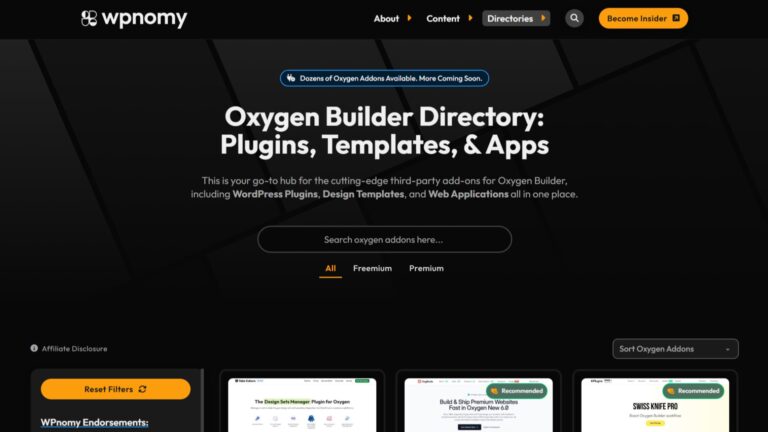
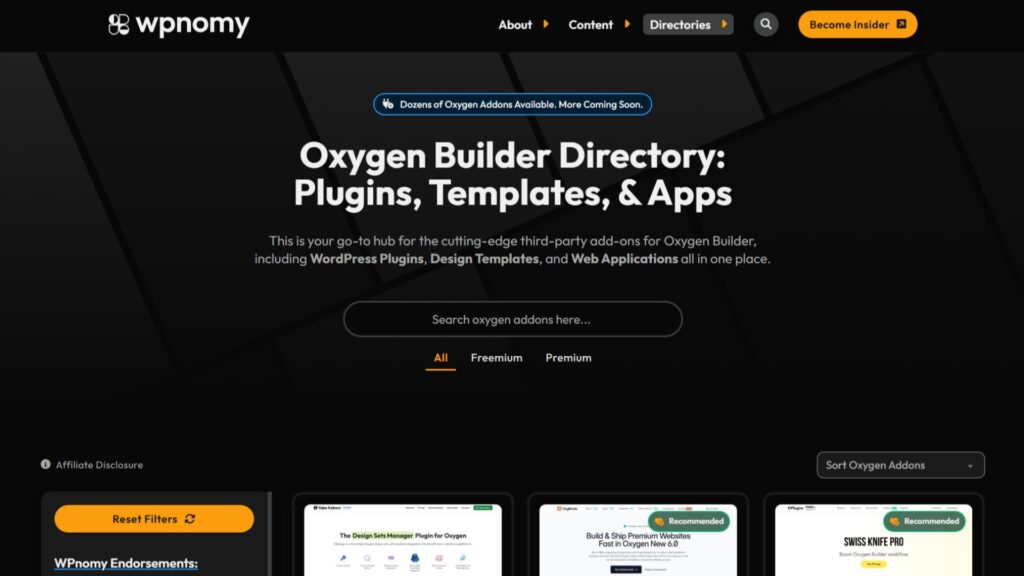
Building with Oxygen 6 and want a broader view of the ecosystem beyond these addons? The Oxygen Builder directory on WPnomy tracks templates, tools, and resources across the entire Oxygen 6 landscape.
Key Highlights
- Oxygen 6 shares approximately 80% of its codebase with Breakdance, which means every Oxygen Classic addon was written against an engine that does not exist in V6.
- The Special Bundle license at $199.50 one-time is the only tier that includes all three Breakdance sub-plugins: Elements, Forms, and WooCommerce at no extra cost.
- Automatic CSS dropped Oxygen 6 support with ACSS 4.0. Core Framework and Plain Classes Oxygen also have no confirmed V6 support as of June 2026. OxyMade Framework and Winden are the two verified CSS framework options for Oxygen 6 today.
- Only 40.2% of WordPress websites globally pass all Core Web Vitals on mobile, making the no-bloat principle behind Oxygen 6 and its addon ecosystem directly relevant to real project performance.
- WP Converters’ Oxygen 4 to Oxygen 6 converter is available free, the lowest-friction entry point for any Classic-to-V6 migration project.
- OxyDance Pilot is the only confirmed AI layout generation tool for Oxygen 6, supporting a Bring-Your-Own-Key model with Claude, OpenAI, Gemini, DeepSeek, and OpenRouter.
- Font Hero by dPlugins is a standalone WordPress plugin with confirmed Oxygen 6 integration, surfacing configured fonts directly inside the builder’s typography controls.
How We Compiled This List
Every addon in this article was verified against four criteria before inclusion.
- Oxygen 6 compatibility confirmed, not based on generic “Oxygen Builder” marketing claims. Classic-only addons are excluded regardless of how they are positioned.
- Active or maintained abandoned or unmaintained tools are not included.
- Real-world utility: the tool must solve a genuine project workflow problem.
- Source verification confirmed through official documentation, direct developer statements, or hands-on testing.
Addons I have personally tested on projects at SyncWin are noted explicitly. All other entries are based on documented research, official product pages, and developer-confirmed compatibility verified in June 2026.
Comparison Table
| Addon | Type | Free Version | Lifetime Deal | Best For | Rating |
|---|---|---|---|---|---|
| OxyMade | Design library + CSS framework | Yes (framework only) | Yes | Best all-in-one starting point | ⭐ 4.5/5 |
| OxyMade Framework | CSS framework | Yes, fully free | Free | Design token system for O6 | ⭐ 4.5/5 |
| Winden | Tailwind CSS compiler | No | Yes | Tailwind v4 without build tools | ⭐ 4.2/5 |
| Font Hero | Font management | No | Yes | Native O6 font management | ⭐ 4.2/5 |
| Breakdance Elements | Bundled sub-plugin | Bundled | One-time license | Core component library | ⭐ 4/5 |
| Breakdance Forms | Bundled sub-plugin | Bundled | One-time license | Form builder inside O6 | ⭐ 4/5 |
| Breakdance WooCommerce | Bundled sub-plugin | Bundled | One-time license | WooCommerce visual controls | ⭐ 4/5 |
| OxyDance Pilot | AI layout generator | Yes (5 uses) | Yes | AI-generated native O6 layouts | ⭐ 4/5 |
| Phox Elements | Design library | No | Yes | Interactive elements + AJAX filtering | ⭐ 4/5 |
| Oxyfolio | Design library | No | Yes | Cross-platform design library | ⭐ 4/5 |
| WP Converters | Migration toolset | Yes (O4→O6) | Yes | Builder migration workflows | ⭐ 4/5 |
| TransferForge | Migration platform | Free audit | Check site | Oxygen Classic to V6 migration | ⭐ 4/5 |
| Oxyblock | Design library | No | Check site | UI kit + Oxyblock Core | ⭐ 3.5/5 |
| Light Mode for Oxygen 6 | Developer utility | Yes | Free | Light theme for the O6 editor | ⭐ 3.5/5 |
| BreakcolorUI | Developer utility | Yes | Yes | Color palette sync to O6 variables | ⭐ 3.5/5 |
What are Oxygen 6 Addons?
Oxygen Builder v6 addons are third-party WordPress plugins, CSS frameworks, design libraries, AI tools, and developer utilities that extend the native capabilities of Oxygen Version 6. They add components, automate design decisions, or introduce specialized functionality that O6 does not ship with natively.
Oxygen 6 runs on a Twig/PHP/JavaScript core that shares approximately 80% of its code with Breakdance. Oxygen Classic ran on Angular. That architectural break means every Classic addon targets an engine that no longer exists in V6. The Oxygen 6 addon ecosystem is being developed independently and from scratch.
The Oxygen Builder directory on WPnomy tracks the full Oxygen ecosystem, including templates, themes, and tools beyond the addons covered here.
Do Oxygen Classic Addons Work with Oxygen 6?
No Oxygen Classic addon is compatible with Oxygen 6. The two products share no common technical architecture. Classic used Angular; Oxygen 6 uses a Twig/PHP/JavaScript core. An Oxygen Classic addon installed on an Oxygen 6 site will either have no effect or cause conflicts. No official migration path exists between Classic addons and V6.
1. Breakdance Elements for Oxygen 6
Breakdance Elements for Oxygen 6 is a bundled sub-plugin that adds 130+ design components to the Oxygen 6 editor, including accordions, galleries, sliders, sticky headers, and advanced mega menus with mobile-specific customization options. Individual components are toggleable under Oxygen Settings to prevent conflicts. It is included free with the Special Bundle license and also available as a separate purchase.
Oxygen 6 ships with a minimal default component set by design. Breakdance Elements is the most direct way to extend it without sourcing a third-party element library first.
Status: Active; official Oxygen 6 product.
Key Features
Components are toggleable individually under Oxygen Settings, which prevents menu duplication and asset conflicts on sites with existing header logic.
- 130+ design components: accordions, galleries, sliders, sticky headers, advanced mega menus
- Mobile-friendly mega menu customization options
- Per-component toggles under Oxygen Settings
- Clean semantic output consistent with Oxygen 6’s no-bloat rendering approach
- Ships as a sub-plugin, requires separate installation even when bundled
Pros
- Free with the Special Bundle license, no additional cost over the builder
- Covers core interactive components most client sites need from the start
- Toggleable components prevent header and menu conflicts common in O6 builds
- Output maintains Oxygen 6’s clean code standard throughout
Cons
- Not included in the Basic Oxygen 6 license, requires Special Bundle or separate purchase
- Must be installed manually; does not auto-install with the core builder
- Narrower scope than third-party design libraries like OxyMade or Phox Elements
Pricing
Lifetime deal available, Oxygen 6 licenses are one-time purchases. Breakdance Elements is included free with the Special Bundle. Check out the official website for current individual pricing and tier breakdown.
Get it: sync.win/oxygenbuilder
Breakdance Elements for Oxygen 6 FAQs
Does Breakdance Elements for Oxygen 6 work with Oxygen Classic?
No. This is the V6-specific version of the sub-plugin. Oxygen Classic and Oxygen 6 run on completely different architectures. This plugin is built specifically for Oxygen 6 and will not function in an Oxygen Classic environment.
Do I need the Special Bundle to use Breakdance Elements?
No. It is available as a standalone purchase. The Special Bundle at $199.50 is the most cost-effective way to get Breakdance Elements, Forms, and WooCommerce together alongside the Ultimate license tier. For the element library alone, a standalone purchase may be sufficient.
Can I disable individual components I am not using?
Yes. Each component can be toggled under Oxygen Settings to prevent loading assets for unused elements. This is also how you resolve menu duplication if the addon’s menu components conflict with existing header logic on a project.
2. Breakdance Forms for Oxygen 6
Breakdance Forms for Oxygen 6 is a bundled sub-plugin that adds a full visual form builder to the Oxygen 6 editor, supporting multi-step forms, conditional email dispatch routing, and server-side custom field validation through the breakdance_form_validate_field PHP filter. It is included free with the Special Bundle license and covers the standard form use cases most client sites need without a dedicated form plugin.
Status: Active; official Oxygen 6 product.
Key Features
Breakdance Forms integrates directly into the Oxygen 6 editor, letting you build and style forms visually alongside the rest of the page.
- Multi-step form creation across multiple screens
- Conditional email dispatch routing based on user field inputs
- Server-side custom field validation via
breakdance_form_validate_fieldfilter - Visual editor integration, forms are built inside the Oxygen 6 builder natively
- Ships as a sub-plugin, requires separate installation even when bundled
Pros
- Free with the Special Bundle license, it directly reduces the need for a third-party form plugin
- Multi-step forms cover complex data collection workflows natively
- Conditional email routing is a premium feature included without an additional plugin
- Server-side validation hook allows custom field logic without a standalone plugin
Cons
- Not included in the Basic Oxygen 6 license
- Complex CRM integrations or heavily conditional form logic may still require a dedicated plugin
- Ships as a sub-plugin, with one extra installation step on every project
Pricing
A lifetime deal available as part of the Oxygen 6 one-time license. Check out the official website for current pricing and tier options.
Get it: sync.win/oxygenbuilder
Breakdance Forms for Oxygen 6 FAQs
Is Breakdance Forms enough for most client sites?
For standard contact forms, quote requests, and multi-step lead capture flows, yes. For advanced CRM integrations, payment processing, or complex conditional logic beyond standard routing, a dedicated form plugin alongside it may be needed.
Can forms built with Breakdance Forms be styled inside the Oxygen 6 editor?
Yes. Forms are styled using standard Oxygen 6 editor controls without needing a separate CSS file, unless you require very custom styling outside the builder’s native scope.
3. Breakdance WooCommerce for Oxygen 6
Breakdance WooCommerce for Oxygen 6 gives visual control over WooCommerce structures inside the Oxygen 6 editor, product listing tables, mini-cart modules, styled checkout layouts, and dynamic attribute filters. It bypasses standard WooCommerce theme markup to keep front-end output fast and clean. Responsive styling states for mobile-specific product configurations are included.
Status: Active; official Oxygen 6 product.
Key Features
The sub-plugin covers the core WooCommerce templates most store builds need without requiring a dedicated WooCommerce theme.
- Product listing tables with custom layout controls inside the O6 editor
- Mini-cart modules with full visual styling options
- Styled checkout layouts that bypass WooCommerce theme overhead
- Dynamic attribute filters for product archive pages
- Responsive styling states for mobile-specific product display
Pros
- Free with the WooCommerce tier or Special Bundle license
- Eliminates the need for a WooCommerce-specific theme on Oxygen 6 stores
- Dynamic attribute filtering covers product archives natively
- Output aligns with Oxygen 6’s clean code and Core Web Vitals approach
Cons
- Not included in the Basic Oxygen 6 license, requires the WooCommerce tier ($149) or Special Bundle ($199.50)
- Complex multi-vendor or marketplace builds may still require additional WooCommerce plugins
- Ships as a sub-plugin, with one more manual installation step
Pricing
Lifetime deal available as part of Oxygen 6’s one-time licensing. Included free with the WooCommerce tier ($149) or the Special Bundle ($199.50). Check out the official website for the full tier breakdown.
Get it: sync.win/oxygenbuilder
Breakdance WooCommerce for Oxygen 6 FAQs
Do I need a WooCommerce theme when using Breakdance WooCommerce?
No. Breakdance WooCommerce for Oxygen 6 replaces the need for a WooCommerce-specific theme by giving you visual control over WooCommerce templates directly inside the Oxygen 6 editor.
Does Breakdance WooCommerce support variable products?
Dynamic attribute filters are documented as included. For specific variable product display configurations on complex catalogs, verify the current feature set against official Oxygen documentation before committing to this approach.
4. OxyMade
OxyMade is a design library and CSS framework ecosystem built specifically for Oxygen 6, offering 591+ design blocks and 66+ full-page templates. Every block imports as a native editable Oxygen 6 element with no wrapper markup. The companion OxyMade Framework is available free as a standalone tool, completely independent of any paid design sets.
I’ve tested OxyMade on Oxygen 6 test projects, and it is the tool I recommend first to anyone starting with V6. Block quality is consistently high, the import workflow is clean, and the free framework earns its place on every O6 project before you spend a single dollar.
Status: Active, one of the most established tools in the Oxygen 6 ecosystem.
Key Features
OxyMade covers both the design library and design system sides of Oxygen 6 development in a single product.
- 591+ design blocks across headers, heroes, features, pricing, testimonials, footers, and more
- 66+ full-page templates ready for import
- Native Oxygen 6 import, no additional wrapper markup generated
- OxyMade Framework included: free CSS utility system, also available as a standalone tool
- Color Manager: generates 11 semantic color shades from one hex input, auto-synced to O6 variables
- Tailwind-inspired shorthand class naming
- Fluid typography and spacing utility modules
- Regular library updates
Pros
- Most comprehensive block library currently available for Oxygen 6
- Free framework handles the entire design system setup before you spend anything
- Native import quality is clean, no post-import cleanup needed
- Color Manager removes the most time-consuming part of building a complete color system
- Framework and design sets are independent; use one without the other
Cons
- Design sets are paid, no free preview of every block before purchase
- OxyMade’s visual style is opinionated; customizing away from it adds design work
- Full synergy between the framework and design sets is reduced when using only one
Pricing
Lifetime deal available on design sets. The OxyMade Framework is permanently free. Check out the official website for current pricing.
- Get OxyMade: sync.win/oxymade
- Explore OxyMade: https://wpnomy.com/product/oxymade/
- Read OxyMade Review: https://wpnomy.com/oxymade-review/
OxyMade FAQs
Do I need to buy the design sets to use OxyMade?
No. The OxyMade Framework installs and runs for free, fully independent of the design sets. You can build a complete Oxygen 6 design system using only the framework. The paid design blocks are a separate product for when you want production-ready starting points.
Does OxyMade work with Oxygen Classic?
Yes. OxyMade is built specifically for Oxygen Classic, but now it has also been updated for version 6. Which means when you purchase OxyMade, you get 2 completely different products, one for classic and another for Oxygen 6.
Is OxyMade Framework a replacement for Automatic CSS on Oxygen 6 projects?
For Oxygen 6, yes. Automatic CSS dropped Oxygen 6 support with ACSS 4.0. OxyMade Framework covers the core design token and utility class functionality that ACSS provided, natively adapted for Oxygen 6’s variable system.
Can OxyMade blocks be customised with my own design system?
Yes. Blocks import as native editable Oxygen 6 elements. You can restyle them using your own variables and class values. OxyMade Framework tokens auto-sync with Oxygen 6’s variable panel, so swapping in your own values is straightforward.
5. OxyMade Framework
OxyMade Framework is a free CSS utility system built for Oxygen 6 that auto-syncs with the builder’s native variables panel. It provides fluid typography, spacing utilities, a Color Manager with automatic shade generation, and Tailwind-inspired shorthand class naming, all at no cost. It installs and operates completely independently of any paid OxyMade design sets.
You should configure OxyMade Framework at the start of every Oxygen 6 project. Getting colors, spacing, and typography tokens in place before a single element is laid down saves significant time and keeps every build consistent from the first component.
Status: Active; maintained as part of the OxyMade ecosystem.
Key Features
OxyMade Framework sets up a complete design system foundation for Oxygen 6 without any paid purchase.
- Auto-syncs with Oxygen 6’s native variables panel, no manual variable entry
- Color Manager: generates 11 semantic shades from one brand hex, written directly to O6 variables
- Fluid spacing scales with mathematically consistent values across breakpoints
- Fluid typography modules calibrated to standard reading widths
- Tailwind-inspired shorthand utility class naming
- Fully independent of the paid OxyMade design sets
- Completely free, no license, no registration required
Pros
- Free with zero feature limitations, not a freemium model
- Color Manager removes the single most time-consuming part of design system setup
- Auto-sync writes all tokens directly into Oxygen 6’s variable controls
- Works with your own custom designs as well as OxyMade blocks
Cons
- Learning curve for developers new to utility-first CSS frameworks
- Best synergy is with OxyMade design sets; standalone use is fully functional, but loses that pairing
- Not a full Tailwind replacement, for a utility-class-heavy workflow in O6, pair it with Winden
Pricing
Free. No license required. The OxyMade Framework will always be free.
Get it: sync.win/oxymade
OxyMade Framework FAQs
Is OxyMade Framework actually free with no feature gates?
Yes. The framework installs and runs for free with no features withheld. The paid OxyMade products are the design block sets and templates, separate products entirely. The framework is standalone.
Can I use OxyMade Framework without ever buying OxyMade design sets?
Yes. Many developers use it purely for the Color Manager and variable system without purchasing the design blocks. It was designed to stand alone.
Does OxyMade Framework replace the need for Winden?
No. They serve different purposes. OxyMade Framework handles your design token system. Winden handles Tailwind CSS compilation for utility class workflows.
6. Winden
Winden by DPlugins is a Tailwind CSS v4 compiler that runs inside WordPress without requiring Node.js, npm, or any external build tooling. For Oxygen 6 specifically, it provides class autocomplete in the builder’s class input fields, compiles on save, and syncs style changes instantly across all open browser tabs via the BroadcastChannel API.
The in-browser compilation holds up for real build sessions, and eliminating the need for a terminal watching for Tailwind changes removes one of the most consistent friction points in that workflow.
Status: Active; confirmed Oxygen 6 integration documented in official dPlugins docs.
Key Features
Winden removes every external dependency from a Tailwind workflow inside WordPress.
- Full Tailwind CSS v4 syntax support inside Oxygen 6 class fields
- Class autocomplete suggestions in the builder’s class input fields
- Compile on save, no terminal process running in the background
- BroadcastChannel API for instant cross-tab style syncing
- Local browser caching for fast compilation
- No CDN or external network dependency on the production site
Pros
- Removes Node.js, npm, and the terminal from the Tailwind workflow entirely
- Autocomplete inside the O6 class fields speeds up the utility class application significantly
- Cross-tab sync eliminates manual browser refresh during design sessions
- Self-contained production CSS, no external CDN dependency
Cons
- Requires familiarity with Tailwind utility classes, not the right tool for developers new to Tailwind
- Paid product, no free tier for Oxygen 6 use
- OxyMade Framework may be sufficient for projects that don’t specifically need a Tailwind workflow
Pricing
Lifetime deal available. Check out the official website for current plan options.
- Get Winden: sync.win/winden
- Explore Winden: https://wpnomy.com/product/winden/
- Read Winden Review: https://wpnomy.com/winden-review/
Winden FAQs
Do I need Node.js installed to use Winden?
No. That is the core value proposition. Winden compiles Tailwind CSS v4 inside the browser using local caching, eliminating Node.js, npm, and any terminal process from the workflow.
Does Winden support the full Tailwind v4 syntax?
Yes, per official DPlugins documentation. Full Tailwind v4 syntax is supported inside Oxygen 6 class fields, including arbitrary values, responsive prefixes, and state variants.
Is Winden exclusive to Oxygen 6?
No. Winden supports multiple WordPress builders. The Oxygen 6 integration is confirmed and specifically documented, but the tool is not Oxygen-exclusive.
7. Font Hero
Font Hero by DPlugins is a standalone WordPress font management plugin with confirmed Oxygen 6 integration. Fonts configured in Font Hero appear as selectable options directly inside Oxygen 6’s typography controls without custom CSS. It handles Google Fonts, Adobe Fonts, locally hosted fonts, custom uploads, and variable font weight ranges from a single dashboard.
I’ve used Font Hero consistently across projects. It handles the parts of font management that are genuinely tedious manually, GDPR-compliant Google Fonts self-hosting, full variable font weight range exposure inside the builder, and page-level font loading control.
Status: Active, confirmed Oxygen 6 integration in official dPlugins documentation.
Key Features
Font Hero surfaces all configured fonts as native typography options inside Oxygen 6 without any code.
- Google Fonts with a self-hosting option for GDPR compliance
- Adobe Fonts integration
- Locally hosted custom font file uploads
- Variable font support, full weight range exposed as a range input inside O6
- Performance controls for font loading (display swap, preloading)
- Single dashboard management for all font source types
- Fonts appear inside Oxygen 6’s typography controls without custom CSS
Pros
- Integrates directly into O6’s typography controls, no
@font-facedeclarations needed - Self-hosted Google Fonts handles GDPR font compliance natively
- Variable font weight range is exposed as a builder-native control, not just raw CSS
- One dashboard covers all font types without separate font plugins
Cons
- An additional plugin in the WordPress stack, one more dependency to manage
- No free tier for Oxygen 6 use
- Adobe Fonts requires API setup, which adds an initial configuration step
Pricing
Lifetime deal available. Check out the official website for current pricing.
- Get Font Hero: sync.win/fonthero
- Explore Font Hero: https://wpnomy.com/product/fonthero/
- Read Font Hero Review: https://wpnomy.com/winden-review/
Font Hero FAQs
Is Font Hero a page builder addon or a standalone plugin?
It is a standalone WordPress plugin with declared builder integrations. Oxygen 6 is one of the confirmed integration targets. Font Hero manages fonts at the WordPress level and surfaces them inside the builder typography controls.
Does Font Hero self-host Google Fonts automatically?
Yes. Font Hero downloads and serves Google Fonts locally from your server, eliminating the external Google Fonts CDN call, the standard approach for GDPR compliance in the EU.
What happens to fonts if Font Hero is deactivated?
Fonts served through Font Hero stop loading. Sites that rely on it for font delivery will fall back to browser defaults until the plugin is reactivated or fonts are replaced through another method.
Do fonts configured in Font Hero appear inside Oxygen 6 automatically?
Yes. That is the integration point. Fonts you configure in Font Hero’s dashboard appear as selectable options inside Oxygen 6’s typography controls as if they were native builder fonts.
8. OxyDance Pilot
OxyDance Pilot is an AI layout generation tool for Oxygen 6 that converts natural language prompts, wireframe images, or raw HTML/CSS/JavaScript into fully editable native Oxygen 6 elements. It runs on a Bring-Your-Own-Key model supporting Claude, OpenAI, Gemini, DeepSeek, and OpenRouter. Version 2.1 added Model Context Protocol (MCP) support, enabling layout updates directly from terminal editors like Claude Code or VS Code in real-time.
I haven’t tested OxyDance Pilot personally yet. The BYOK and MCP combination is the agentic AI model I have been waiting to see inside WordPress. I watched similar generation work impressively inside Builderius Sense AI, and the potential of that applied to an Oxygen 6 context is real. Output quality on production builds is what I would want to verify on a test project before recommending it for client work.
Note: OxyDance Pilot requires both Breakdance Elements for Oxygen and Breakdance Forms for Oxygen installed on the same site to function with Oxygen 6.
Status: Active; Version 2.1 with MCP support.
Key Features
OxyDance Pilot is the only confirmed AI layout generation tool for Oxygen 6 as of now.
- Converts natural language prompts into native editable Oxygen 6 elements
- Accepts wireframe images as input, not just text descriptions
- Converts raw HTML/CSS/JavaScript into native O6 element structures
- Bring-Your-Own-Key model, Claude, OpenAI, Gemini, DeepSeek, and OpenRouter all supported
- MCP remote agentic support in v2.1, update layouts from Claude Code or VS Code
- All generated output is fully editable native Oxygen 6 markup
- Free tier with 5 uses to test before buying
Pros
- BYOK model keeps API costs under your direct control; you pay your provider, not OxyDance
- MCP integration enables agentic layout workflows from terminal environments
- Free tier lets you test output quality before committing to a plan
- Multiple AI model support lets you choose the best model for each generation task
- Only confirmed AI generation tool for Oxygen 6 currently
Cons
- Not personally tested by me, production output quality unverified
- Requires Breakdance Elements and Forms sub-plugins installed, an additional dependency
- BYOK means managing your own API keys and provider costs
- MCP agentic workflows require a technical setup not suited to beginners
Pricing
Lifetime deal available on Pro and Agency plans. Free tier available with 5 uses. Check out the official website for current pricing.
- Get OxyDance Pilot: sync.win/oxydancepilot
- Explore OxyDance Pilot: Unavailable
- Read OxyDance Pilot Review: Unavailable
OxyDance Pilot FAQs
Does OxyDance Pilot work without the Breakdance sub-plugins installed?
No. For Oxygen 6 specifically, both Breakdance Elements for Oxygen and Breakdance Forms for Oxygen must be active on the same site. These are available as part of the Special Bundle or as separate purchases.
What AI models does OxyDance Pilot support?
The BYOK model supports Claude, OpenAI, Gemini, DeepSeek, and OpenRouter. You connect your own API key from whichever provider you prefer; costs are billed directly to your provider account, not through OxyDance Pilot.
What is MCP support, and why does it matter?
MCP (Model Context Protocol) allows OxyDance Pilot to receive layout instructions from terminal-based AI environments like Claude Code or VS Code. A developer can type a layout instruction in a code editor and have it execute in the Oxygen 6 editor, enabling agentic workflows without context-switching between tools.
Is there a difference in how OxyDance Pilot works in Breakdance vs Oxygen 6?
OxyDance Pilot supports both Breakdance and Oxygen 6. For Oxygen 6, the Breakdance sub-plugins act as a compatibility bridge, providing the component foundation that the generation engine targets. The sub-plugins are a requirement only for O6 use.
9. Oxyblock
Oxyblock is a UI kit and design library for Oxygen 6 built on the Oxyblock Core framework. It provides a collection of design blocks with consistent styling governed through its own native CSS system, independent of external utility frameworks. It covers similar ground to OxyMade but takes a distinct design direction and its own framework approach.
Status: Active; confirmed Oxygen 6 compatible.
Key Features
Oxyblock delivers a self-contained design block library and CSS framework for Oxygen 6 in a single product.
- Design block library for Oxygen 6
- Oxyblock Core: native CSS variable and utility class framework
- Consistent cross-block styling governed through the framework
- Compatible with Oxygen 6’s native variable system
- No external framework dependency required
Pros
- Self-contained ecosystem, framework, and blocks developed as a unit
- Oxyblock Core provides a native framework without external dependencies
- Confirmed Oxygen 6 compatibility
Cons
- Smaller community and less publicly available documentation than OxyMade
- Specific block count and detailed feature specs are not as prominently published
- Less community coverage in the Oxygen 6 ecosystem currently
Pricing
Check out the official website for current pricing plans.
- Get Oxyblock: sync.win/oxyblock
- Explore Oxyblock: Unavailable
- Read Oxyblock Review: Unavailable
Oxyblock FAQs
How does Oxyblock compare to OxyMade?
Both are design block libraries for Oxygen 6. OxyMade has a larger library (591+ blocks), a well-documented free framework, and broader community coverage. Oxyblock is a more focused, self-contained ecosystem. OxyMade is the better-documented starting point for most developers; Oxyblock is worth evaluating if its design direction fits your aesthetic.
Does Oxyblock require an external CSS framework?
No. Oxyblock uses its own Oxyblock Core framework internally. No external CSS framework dependency is required to use the block library.
10. Phox Elements
Phox Elements is a premium Oxygen 6 addon with 131+ interactive design elements beyond what standard component libraries offer: particle backgrounds, stacking parallax card lists, floating elements, a Matter.js physics engine, timeline structures, and event calendars. The standout feature is Phox Facets, 10 AJAX-powered filtering modules for real-time post loop search and filtering without a page reload.
Status: Active; third-party addon confirmed for Oxygen 6.
Key Features
Phox Elements is the most feature-dense interactive element library available for Oxygen 6.
- 131+ interactive design elements beyond standard component libraries
- Particle backgrounds and floating element animations
- Stacking parallax card list layouts
- Matter.js physics engine integration for animated interactions
- Timeline and event calendar components
- Dark mode toggle per element
- Calculator builder
- Phox Facets: 10 AJAX-powered filtering modules for real-time post loop filtering
Pros
- Phox Facets alone justify the cost for directory, listing, or filterable archive projects
- Entry price is extremely competitive for the volume of features included
- Matter.js physics engine provides animated interactions unavailable in any other O6 addon
- Comprehensive global parameter controls for consistent styling across all elements
Cons
- Smaller community than OxyMade, fewer tutorials, and third-party resources
- Physics engine and advanced interactions carry a real learning curve
- Less community validation of performance characteristics compared to more established tools
Pricing
Lifetime deal available at all tiers. Check out the official website for current pricing.
- Get Phox Elements: sync.win/phoxelements
- Explore Phox Elements: Unavailable
- Read Phox Elements Review: Unavailable
Phox Elements FAQs
What exactly is Phox Facets?
Phox Facets is a set of 10 AJAX-powered filtering modules that filter WordPress post loops in real time without a page reload. For directory sites, property listings, job boards, or any site with large filterable archives, it replaces the need for a dedicated AJAX filtering plugin. It is the most cost-efficient AJAX filtering option in the O6 ecosystem currently.
Does Phox Elements load all assets on every page?
Based on product documentation, assets are loaded conditionally, and the framework uses global parameters rather than inline styles per element. The Matter.js physics engine loads only on pages where it is actively used. Verify conditional loading specifics with the official documentation before use on performance-critical projects.
11. Oxyfolio
Oxyfolio is a cross-platform design library for Oxygen 6 by Dancepad Studio (Stefan and Jose) with 120 curated design elements and a shared development timeline across all supported builders. Updates deploy simultaneously to every supported platform, reducing maintenance overhead for developers whose work spans multiple WordPress builders.
Status: Active, lifetime pricing available.
Key features
Oxyfolio’s cross-platform development model is its primary differentiator in the O6 ecosystem.
- 120 curated design elements for Oxygen 6
- Portfolio blocks and grid structure components
- Shared development timeline, all supported builders updated simultaneously
- Updates deploy to all platforms at the same time, not on separate schedules
- One purchase covers unlimited sites
Pros
- A lifetime deal for unlimited sites is competitive for a permanent design library
- Cross-platform updates ensure the O6 version stays current alongside other builder versions
- No annual renewal cost, one-time investment
Cons
- 120 elements is a smaller library than OxyMade’s 591+ blocks
- Cross-platform focus may mean less O6-specific optimization than a purpose-built library
- Smaller community presence within the Oxygen 6 ecosystem, specifically
Pricing
Lifetime deal available, one-time payment for unlimited sites. Check out the official website for current pricing.
- Get Oxyfolio: sync.win/oxyfolio
- Explore Oxyfolio: Unavailable
- Read Oxyfolio Review: Unavailable
Oxyfolio FAQs
Does the cross-platform model affect the Oxygen 6 element quality?
The cross-platform approach means elements work across multiple builders rather than being optimized for one. For standard design needs, this is not a limitation. For deep O6-specific integrations like native variable syncing, a purpose-built library like OxyMade may offer more.
Is the lifetime pricing permanent?
Lifetime pricing is currently available, but it can change. Check the current product page before purchasing.
12. WP Converters
WP Converters is a migration toolset for WordPress builder workflows with a free Oxygen Classic to Oxygen 6 converter as its primary value for O6 developers. The suite also includes a Figma to Oxygen converter and an Oxygen to Bricks converter, covering migration in multiple directions across the WordPress builder landscape.
Status: Active; free O4>O6 converter confirmed available.
Key Features
WP Converters reduces the manual rebuild work involved in moving sites between WordPress builders and builder versions.
- Free Oxygen 4 (Classic) to Oxygen 6 structural converter
- Figma to Oxygen converter
- Oxygen to Bricks converter
- Multi-direction migration support across builders
- No ongoing subscription required for the free O4>O6 tool
Pros
- Free O4>O6 converter removes the most common migration barrier at no cost
- Multi-builder support handles migrations across multiple project contexts from one tool
- Reduces the manual page-by-page rebuild for Classic-to-V6 migrations
Cons
- Migration output is structural; visual refinement will still be required after conversion
- Primarily useful during the migration phase, not as a permanent workflow tool
- Conversion quality depends on the source site’s complexity
Pricing
The Oxygen 4->6 converter is free. Other tools in the suite are paid.
- Get WP Converters: sync.win/wpconverters
- Explore WP Converters: Unavailable
- Read WP Converters Review: Unavailable
WP Converters FAQs
Does the free O4>O6 converter produce a finished site?
No. The converter handles structural translation between the two Oxygen architectures. Visual styling, CSS adjustments, and design refinements will still be required post-conversion. Treat the output as a conversion starting point, not a completed rebuild.
Is WP Converters the same product as TransferForge?
No. WP Converters is a self-hosted plugin-based toolset with a free entry option. TransferForge is a separate SaaS platform. Both handle Oxygen Classic to Oxygen 6 migration, but through different approaches and business models.
13. TransferForge
TransferForge is a SaaS-based migration platform for moving sites from Oxygen Classic to Oxygen 6 or from Oxygen Classic to Breakdance. It uses a bridge plugin model: install the bridge on the source site, and the TransferForge cloud service handles the migration. A free site audit is available before committing to a full migration.
Status: Active; SaaS migration platform.
Key Features
TransferForge is designed for agencies and developers managing multiple Classic-to-V6 migration projects.
- Oxygen Classic to Oxygen 6 full site migration
- Oxygen Classic to Breakdance as an alternative migration path
- The Bridge plugin connects the source site to the cloud migration service
- Free audit before committing to a full migration
- Cloud-based process removes manual page-by-page rebuild requirement
Pros
- The SaaS model removes the developer overhead of managing migration logic manually
- A free audit gives a clear scope picture before spending anything
- Supports both O6 and Breakdance as migration targets
- Reduces turnaround time on agency migration projects compared to manual rebuilds
Cons
- Paid service, cost depends on project size and scope
- SaaS dependency means the migration process relies on the TransferForge platform remaining active
- Complex or heavily customized sites may still require manual cleanup after the automated process
Pricing
Free audit available. Check out the official website for current pricing.
- Get TransferForge: sync.win/transferforge
- Explore TransferForge: Unavailable
- Read TransferForge Review: Unavailable
TransferForge FAQs
How does TransferForge differ from WP Converters?
WP Converters is a self-hosted plugin-based toolset with a free entry option. TransferForge is a paid SaaS platform that handles migration through a cloud service. TransferForge suits agencies managing volume migrations; WP Converters is the lower-cost starting point for individual projects.
Does TransferForge guarantee a complete site migration?
Run the free audit first to understand the scope. Automated migration quality depends on the source site’s complexity. Custom code, advanced dynamic data structures, and heavily customized layouts may still need manual cleanup after the TransferForge process.
14. Light Mode for Oxygen 6
Light Mode for Oxygen 6 switches the builder’s default dark, high-contrast editor interface to a bright UI with larger text and more prominent navigation icons. Oxygen 6 ships with no native light mode setting, making this the only available option as of writing this article for developers who prefer a lighter editor environment. It is listed on the official Oxygen Marketplace.
Status: Active; available on the official Oxygen Marketplace.
Key Features
Light Mode solves the single most consistently cited visual complaint about the Oxygen 6 editor.
- Switches the default dark editor to a bright, high-readability interface
- Larger text sizes throughout the editor UI
- More prominent icon labels and navigation elements
- Editor-only change, zero impact on front-end site output
Pros
- Reduces eye strain for developers working in the editor across long daily sessions
- No configuration required, install, and it works
- An official Marketplace listing means it is a vetted extension
Cons
- Very narrow utility, solves one specific editor preference problem, nothing more
- No workflow, performance, or feature benefit beyond the visual change
- Similar results are achievable through browser extensions like Stylus without adding another plugin
Pricing
Lifetime deal available. Check out the official website for current pricing.
- Get Light Mode: sync.win/lightmodeforoxygen
- Explore Light Mode: Unavailable
- Read Light Mode Review: Unavailable
Light Mode for Oxygen 6 FAQs
Does Light Mode affect the front-end output of the site?
No. It is a pure editor UI modification. The front-end output of your site is completely unaffected, regardless of which editor theme is active.
Can I achieve the same result without this plugin?
Yes, through browser extensions like Stylus that inject custom CSS into the editor. Light Mode is the simpler plugin-based approach that requires no browser extension configuration. Choose based on your workflow preference.
15. BreakcolorUI
BreakcolorUI is a Chrome browser extension and a WordPress plugin that detects active visual builder environments and enables one-click syncing of custom CSS properties and HEX color palettes from external design systems into the builder’s variable registry. For Oxygen 6, this means transferring a color system from a design tool directly into the O6 variables panel without entering each value manually.
Status: Active, free base version available.
Key Features
BreakcolorUI removes manual value entry when syncing a color system from a design tool to the Oxygen 6 variable panel.
- Detects active visual builder environments automatically, including Oxygen 6
- One-click sync of custom CSS properties and HEX color palettes
- Pulls color data from third-party design systems or design tools
- Writes directly to the builder’s variable registry in one action
- Free base version available; extended lifetime license options exist
Pros
- Eliminates manual color variable entry when setting up a new design system in O6
- Free base version covers the core sync functionality at no cost
- One-click sync reduces project setup time measurably
- Works across multiple supported builder environments beyond Oxygen 6
Cons
- Chrome-only, no Firefox or other browser support
- Niche utility, primarily useful during initial project setup or brand color updates
- Smaller day-to-day workflow impact compared to a full design system tool like OxyMade Framework
Pricing
Free base version available. Lifetime license options available for extended features. Check sync.win/breakcolorui for current pricing.
- Get BreakcolorUI: sync.win/breakcolorui
- Explore BreakcolorUI: Unavailable
- Read BreakcolorUI Review: Unavailable
BreakcolorUI FAQs
Is BreakcolorUI exclusive to Oxygen 6?
No. BreakcolorUI detects multiple builder environments and works across all supported builders. Oxygen 6 is one of the confirmed compatible contexts.
Does the free version have feature limits?
The base version provides core color syncing functionality. Lifetime license options unlock extended capabilities. Check the product page for a full breakdown of what each tier includes.
FAQs About Oxygen 6 Addons
The most common questions about Oxygen 6 addons cover Classic compatibility, the current state of ACSS and Core Framework for V6, which tools are free, and how the bundled sub-plugins are licensed.
Do Oxygen Classic addons work with Oxygen 6?
No. Oxygen Classic was built on Angular. Oxygen 6 uses a Twig/PHP/JavaScript core shared with Breakdance. Every Classic addon was written against the Angular foundation, which does not exist in Version 6. Installing a Classic addon in an Oxygen 6 environment will have no effect or cause conflicts. No forward compatibility exists between the two ecosystems.
Is Automatic CSS compatible with Oxygen 6?
Automatic CSS dropped Oxygen 6 support with ACSS 4.0. It is no longer a supported option for Oxygen 6 projects. I used ACSS across several years of professional work, and it had a measurable impact on build quality during that time. The product’s supported builder list has since changed. For Oxygen 6 today, OxyMade Framework is the confirmed free alternative covering comparable design token and utility class functionality.
Does Core Framework support Oxygen 6?
Core Framework does not currently support Oxygen 6. Support is a requested feature on the roadmap, but unconfirmed as of June 2026. For CSS frameworks that work with Oxygen 6 today, OxyMade Framework (free) and Winden are the two confirmed and available options.
Which Oxygen 6 addons are completely free?
Four tools are free at their base tier: OxyMade Framework (fully free, always), WP Converters’ O4>O6 converter, BreakcolorUI’s base version, and OxyDance Pilot’s free tier (5 uses). The three Breakdance sub-plugins are free when purchased as part of the Special Bundle license.
Is the Oxygen 6 addon ecosystem still growing?
The ecosystem is forming. It is smaller than what Oxygen Classic built up and smaller than the Bricks Builder addon market today. The WPnomy Oxygen Builder directory tracks the full Oxygen ecosystem, including templates and tools beyond addons, and is updated as new confirmed products emerge. This article will be updated as new O6-compatible tools are verified.
Conclusion
Fifteen tools. That is the confirmed Oxygen 6 addon ecosystem as of June 2026. It is lean, focused, and still forming. For most projects, OxyMade, OxyMade Framework, Font Hero, and the bundled Breakdance sub-plugins cover everything you need from day one.
The tools that exist for Oxygen 6 were built because V6 specifically needed them. Not ported from Classic. Not repurposed. That is a better foundation than a large catalog of partially compatible tools you have to audit before trusting.
If you are looking for a broader view of the Oxygen ecosystem, including templates, plugins, and community resources, the Oxygen Builder directory on WPnomy is the most complete reference available.
For developers and agencies in Kolkata, India, or anywhere in the world who want direct help setting up an Oxygen 6 project from scratch, configuring the right addon stack, or migrating from Oxygen Classic, our dedicated WordPress support handles this work directly.